

Avoid Common Pitfalls in Stretched LCD Screen Maintenance
 2026-10-15
  11:00
11:00 

Keeping a stretched LCD screen in good shape takes care of the whole setup. You must look beyond just the front glass. These narrow displays offer very little room for connectors. They also lack space for cooling and mounting brackets. Dirt, cable tension, and tight cases often trigger issues. People sometimes mistake these issues for actual panel failures. A steady upkeep routine keeps the monitor working smoothly. It also gives your parts supplier the right details to suggest a matching replacement.
What Makes a Stretched LCD Screen Different to Maintain?
Stretched LCD displays feature long active zones and slim physical designs. This shape often blocks easy access to back plugs. It also adds stress at the attachment points. Furthermore, this design blocks fresh air from reaching the backlight and control board. You should follow a clear monitor maintenance checklist based on the official model blueprint. Also, match it to the required running and storage rules.
How Do Narrow Dimensions Change Access and Heat Paths?
The lengthy, slim outline of the panel often puts the FPC and plugs right near the border. Reaching them there is quite hard. Crooked brackets or uneven supports will squeeze the screen. At the same time, covered vents easily build up trapped heat. Before you take the display out, write down the setup details. Note the mounting base, holding spots, and FPC path. Also, check the cable curve and close heat sources. Never push the panel hard into a space. Doing so might bend or warp the frame.
Which Contaminants and Handling Errors Damage Stretched LCD Displays?
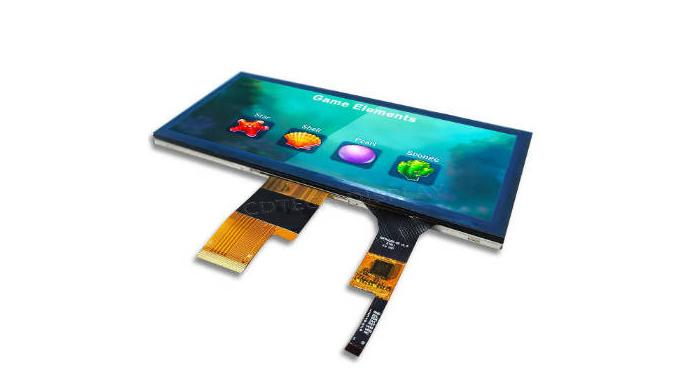
Dirt, grease, water, and rough cleaning gear easily ruin surface layers. They can also slip into the tiny crack between the frame and the glass. You must turn off stretched LCD displays before you wash them. Only apply washing techniques cleared for that exact screen finish. You should never push hard on the lit area to rub out a spot. Also, do not drag an FPC by its soft wire. Finally, keep heavy tools off the clear front face.
Which Cleaning and Environmental Practices Protect Stretched LCD Displays?
Washing the screen is just one piece of proper care. Workers must also track dampness and water drops. They need to note bright sun exposure, room heat, and weird shaking. Stretched LCD displays often go into home gadgets or factory machines. You might also find them in transport cases. In these spots, the weather changes a lot. Because working limits change across models, you must tie upkeep logs to the right serial number. You can also link them to the hardware version.
What Is a Safe Cleaning Sequence for a Stretched LCD Screen?
First, shut down the power. Let the monitor cool down if it feels warm. Lightly brush off loose dirt using a safe, soft rag. Do this before you grab any liquid cleaner. Put the safe liquid onto the rag itself. Never spray it straight onto the glass. Then, rub softly in a single path. Keep all fluids away from the tight borders and plugs. Let the front dry completely before you turn the power back on. Write down any clear scratches, foggy spots, or peeled layers. Always stay away from harsh scrubbing styles.
How Should Teams Track Temperature, Humidity and Sunlight Exposure?
Log the running times and resting states for every unit. Note any wet patches, bright sun hits, and washing habits. Dimmed lights, quick flashing, or slow touch reactions often stem from bad weather. They do not always mean the screen is broken. These notes help your repair crew spot outside issues quickly. They can tell setting flaws apart from real part breaks. This way, they do not just guess a random lifespan for the device.
How Should Teams Inspect Cables, Mounting and Cooling?
Shaky pictures, solid lines, or a dead screen can point to a broken panel. They might also mean the backup system has failed. Before you buy a new part, look at the power box and data source. Check the plugs, FPCs, bracket tightness, airflow, and menu options. For a stretched LCD screen, watch out for pulled wires. Also, look for lopsided squeezing along the tall edge. Write down the first signs of trouble. Note the test setup and the fixes you tried. This helps you look back later.
Which Cable and Interface Checks Belong in Every Inspection?
Make sure every plug sits firmly in its slot. Look closely at the FPC for harsh creases. Check for curves that pass the allowed limit. Also, search for tight pulls near the slim case walls. Hunt for torn wire covers and loose power joints. Seek out bad ground links and stray signal noise. Based on the build, the data link might be LVDS, RGB, HDMI, or MIPI. Check the pin map, power level, and data pace against the official guides. Do not just trust how the plug looks from the outside.
How Do Mounting Pressure and Cooling Affect Long-Term Reliability?
Look at the frame level and screw tightness. Check the holding clips, air vents, and close warm spots. Twisting a tall, thin unit too hard causes bad squeezing. This can easily break the glass. On the other hand, weak brackets let the unit shake too much. Ensure the fans or vents keep the monitor inside its safe heat zone. Harm from poor setup, rough use, bad shipping, or lazy upkeep often voids the promise plan. Therefore, you must write all these facts down clearly.
When Should You Repair, Replace or Ask a Stretched Bar LCD Display Supplier?
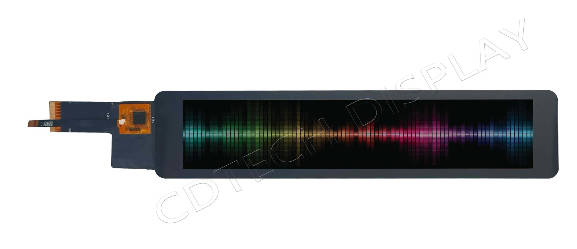
The choice to fix or swap a screen relies on the root fault. The bug might spring from a loose wire or simple dirt. It could also come from a wrong data feed or a crooked bracket. In these cases, a simple tune-up makes more sense than a full swap. You might need a total change if the glass holds deep visual scars. You also need one if the old plug type is gone. The same is true if the physical needs shift. Always prove the root cause before you buy a fresh stretched bar LCD display.
Which Symptoms Suggest Maintenance Rather Than Panel Replacement?
Random glitches often shift when you reseat a wire. They might also change when you swap the data feed or loosen the frame clips. These clues point to a basic setup or data flaw. If a stretched LCD screen blinks or drops the picture, check the power flow first. Then, look at the FPC links and data speed. Real cracks, deep water leaks, frozen lines, or dark backlights need an expert look. You should talk to your vendor about these big issues. Check a single factor at a time. Write down the outcomes, take pictures, note the time, and record the room climate.
What Should a Stretched Bar LCD Display Supplier Confirm Before Replacement?
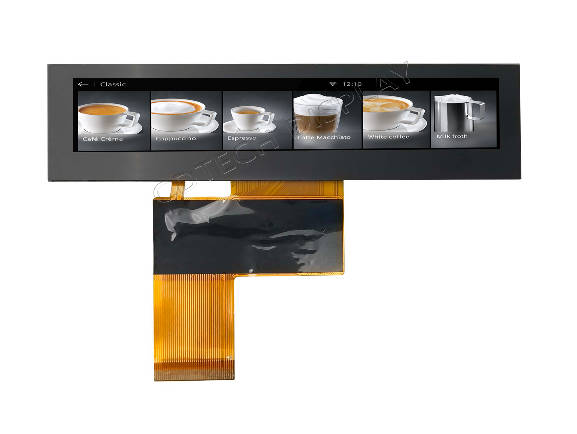
Hand over the overall dimensions (OD) and active area (AA). Share the pixel count, light level, and sight angles. Also, give the plug type, plug spot, FPC layout, and hole marks. Note the touch style, safe heat range, order size, and clear photos. For stretched bar LCD displays, you must also prove the FPC exit path. Check the wire gap and the free bracket space. The vendor needs to confirm physical, power, and visual matches. This includes the plug style, pin map, power pull, and data pace. They should never rely on just the corner-to-corner length.
How Can CDTech Support Stretched LCD Screen Lifecycle Planning?
CDTech is ready to check your upkeep or swap needs for stretched bar LCD displays. We look at sizes, AA/OD, pixel count, and glare levels. We also check touch features, clear glues, FPC links, data ports, and room climates. Our range covers bar-format LCD/TFT displays and odd shapes. We offer smudge-proof and glare-free layers. We also provide smart touch choices for machine panels. We need a clear physical sketch and full data sheets. These tools help us find out if a fitting unit exists.
What Can CDTech Review for a Stretched LCD Display Replacement?
We gladly match the current monitor against a likely new part. We look at total sizes, lit zones, data ports, and light power. We also study the top glass, touch traits, FPC maps, and bracket needs. We can check current unit facts for LVDS, RGB, HDMI, or MIPI port needs. We also review safe heat zones. For stretched bar LCD displays, we study plug spots and the FPC exit path. We look at unique sizes, custom lights, or clear glue needs. We do all this before we promise a good fit.
Which Maintenance Records Should an OEM Send CDTech?
Please send over clear pictures and deep error notes. Share the repair past, power facts, and data details. Also, give the running climate, physical maps, port rules, total count, and time goals. For stretched LCD displays, add the first part tag. Include the FPC map, plug spot, and bracket facts if you have them. These logs help us decide the best path. They show if the bug needs a quick fix, a matching swap, or a fresh build. They also tell us if we must test a trial piece. A detailed error note helps much more than just crying about a “broken screen.”
FAQ
Q: How Often Should a Stretched LCD Screen Be Cleaned?
A: You will not find a single set washing schedule for a stretched LCD screen. The washing pace relies on dirt amounts and running climates. It also depends on the chosen safe washing style. You should look at the glass more often in dirty, greasy, or wet rooms. Pay extra care to its thin borders and tiny plugs.
Q: What Should I Check Before Replacing Stretched LCD Displays?
A: First, look at the power flow and data feed. Check the plugs, FPC bending, bracket squeeze, fresh air, and dirt layers. If the bug stays, match up the old part facts. Make sure the error links to the screen itself or the basic setup. Do this before you buy a fresh unit.
Q: What Should a Stretched Bar LCD Display Supplier Receive for a Replacement Quote?
A: Hand in the physical sketches, overall dimensions (OD), and active area (AA). Share the pixel count, port rules, plug facts, and FPC traits. Also, send the light power, touch needs, running climate, order size, and trial photos. Throw in the first part tag and error past if you can. These facts guide the vendor to judge physical, power, and visual matches. This is much safer than just trusting the corner-to-corner length.
Post Search
Related Articles
-

Capacitive vs Resistive Touch Screen Car Stereo: Which Is Right for You?
-

TN LCD vs IPS LCD: How to Choose the Right Display for You
-

Capacitive Touch Panel or Resistive: Which Suits Your Needs?
-

Why Choose an IPS LCD Panel for Your Next Screen Purchase?
-

CDTECH to Showcase Cutting-Edge Display Solutions at SID 2025
-

Comparing Different Types of Displays in Cars: A Detailed Overview
-

White Spots on LCD Screen: Causes, Fixes & Industrial Solutions (2026 Guide)