White Spots on LCD Screen: Causes, Fixes & Industrial Solutions (2026 Guide)
 2026-04-09
  13:52
13:52 

White spots on LCD screens are typical display defects that include LCD white spot, white spot LCD, LCD bright spots, and white marks on LCD screen. These localized bright patches affect visual clarity and reliability across consumer and industrial devices.
They can occur on smartphones, monitors, and industrial displays, affecting both visual performance and product reliability. In high-demand applications such as medical devices and automotive systems, even minor white spot defects can indicate deeper structural or manufacturing issues.
In this guide, we’ll explain what LCD white spots are, how to identify them, their root causes, and the most effective ways to fix and prevent them—covering both consumer use cases and industrial-grade solutions.
What Are White Spots on LCD Screens?
White spots on an LCD screen refer to localized bright areas that appear brighter than the surrounding display. These may look like:
- Small white dots on LCD screen
- Cloudy white patches
- Bright pressure marks
Unlike dead pixels, white spots are usually caused by optical or mechanical issues, not just pixel failure.

How to Identify White Spots on LCD Screen (Quick Test)
You can quickly identify white spots using simple tests:
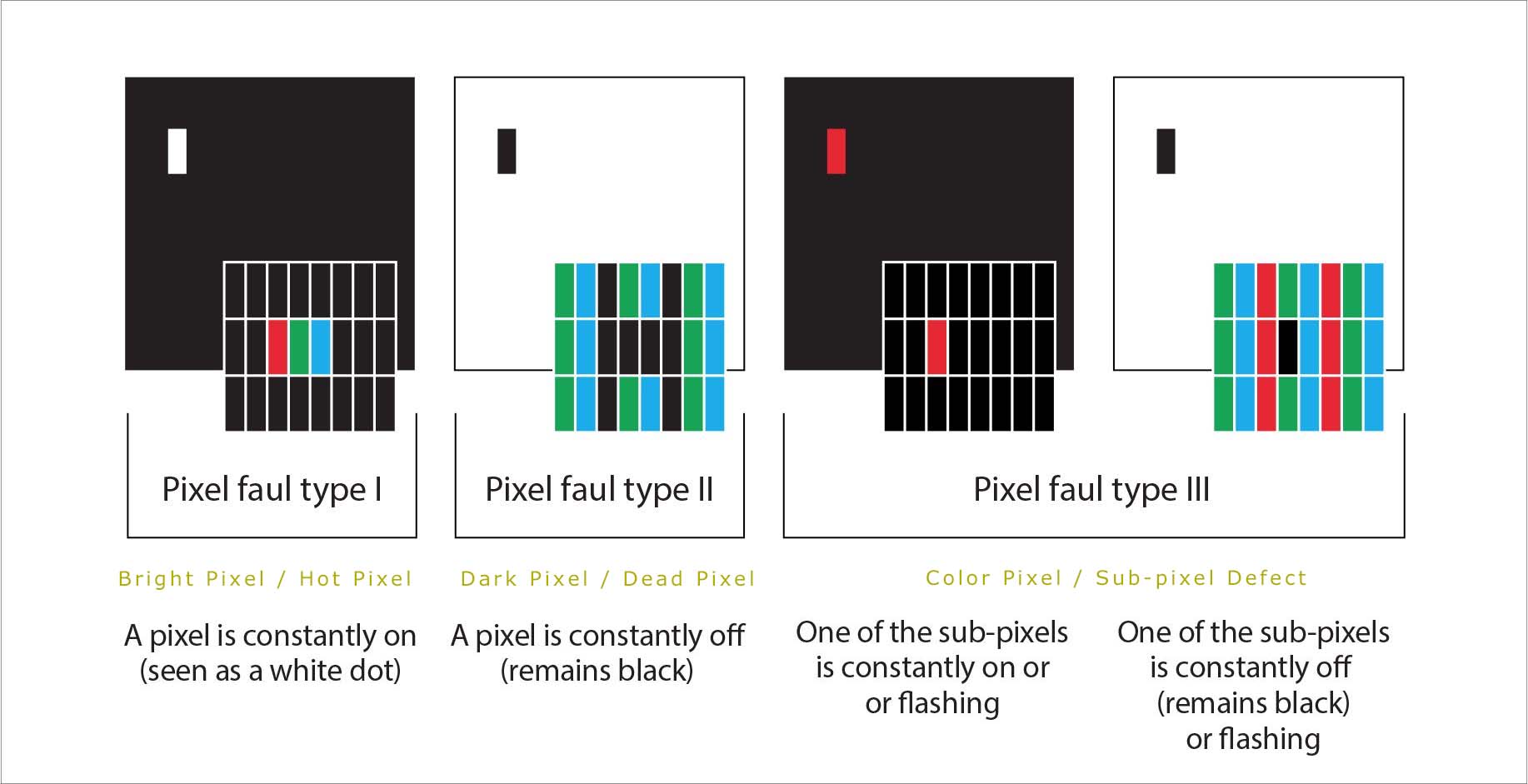
- Display a black screen → check for bright dots (hot pixels)
- Display a white screen → check for dark spots (dead pixels)
- Display RGB colors → check for colored dots (stuck pixels)
- Look for irregular bright patches → likely white spots
If the spot changes under slight pressure, it is likely caused by mechanical stress.
Common Types of White Spot LCD Defects
Understanding the type of white spot helps identify the root cause:
- White Dots on LCD Screen
- Small bright points, often mistaken for stuck pixels
- Pressure Marks (White Spots on Display)
- Caused by external force
- Common on mobile screens
- Backlight Bleeding
- Uneven brightness near edges
- Seen on monitors and large displays
- White Marks on LCD Screen
- Irregular shapes
- Often linked to internal layer damage
Top Causes of LCD Bright Spots
General Application Causes
- Mechanical Pressure (Most Common Cause)
White spots on mobile screens or displays are often caused by pressure applied to the panel.
Examples:
- Dropping the device
- Tight enclosure design
- Improper mounting
This pressure affects internal layers, creating visible bright spots.
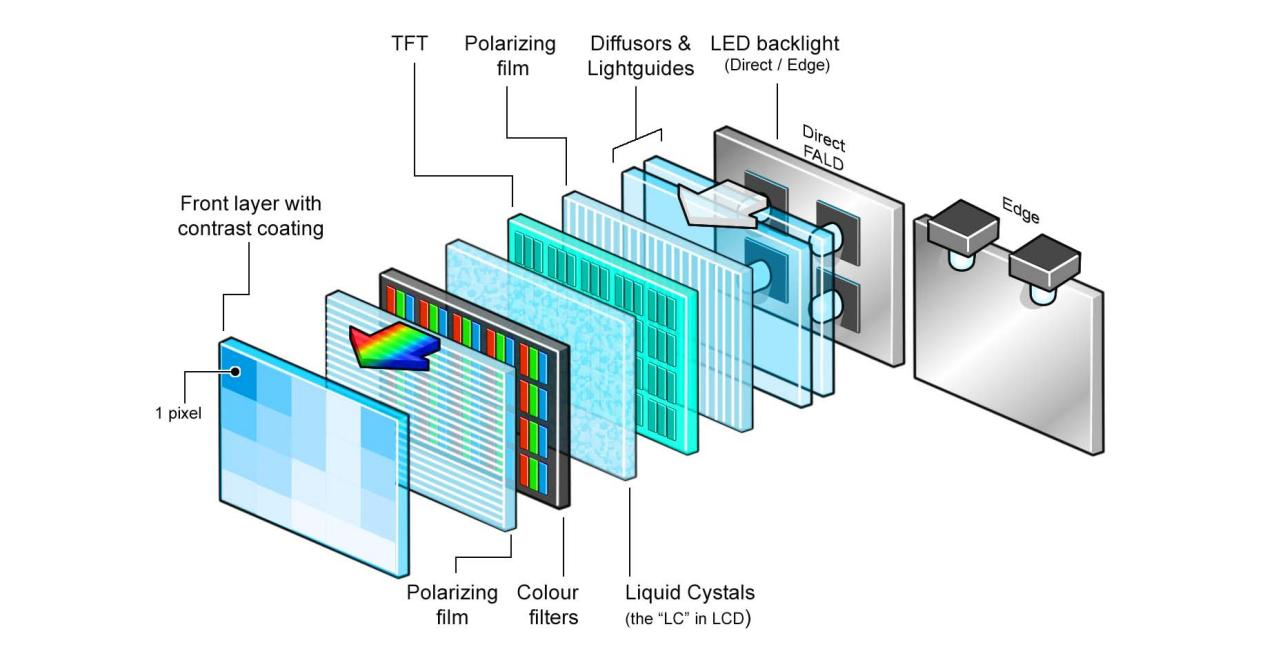
- Backlight & Diffuser Issues
LCD screens rely on a backlight system and diffuser films.
If these layers are:
- Misaligned
- Damaged
- Uneven
They can cause white spots or uneven brightness across the display.
- Pixel or Subpixel Defects
Some white dots on LCD screens are due to:
- Stuck pixels (always on)
- Subpixel malfunction
These are usually smaller and more localized.
- Optical Bonding Problems (Critical in Industrial Displays)
In advanced LCD modules using optical bonding, white spots may result from uneven adhesive distribution or internal stress concentration.
Common causes include:
- Uneven OCA (optical clear adhesive) thickness
- Poor lamination stress distribution
- Air gaps between layers
These issues can create localized pressure points, which become visible as white spots under mechanical stress or temperature changes.
Root Causes from Manufacturing Perspective (CDTech Insight)
From a manufacturing perspective, white spots are typically caused by a combination of mechanical stress, contamination, and optical inconsistency.
Key engineering factors include:
- Backlight module misalignment or light leakage
- Contaminated or damaged diffuser films
- Inconsistent liquid crystal alignment due to particles
- Structural stress from enclosure design or assembly
- Temperature fluctuations affecting internal layer stability
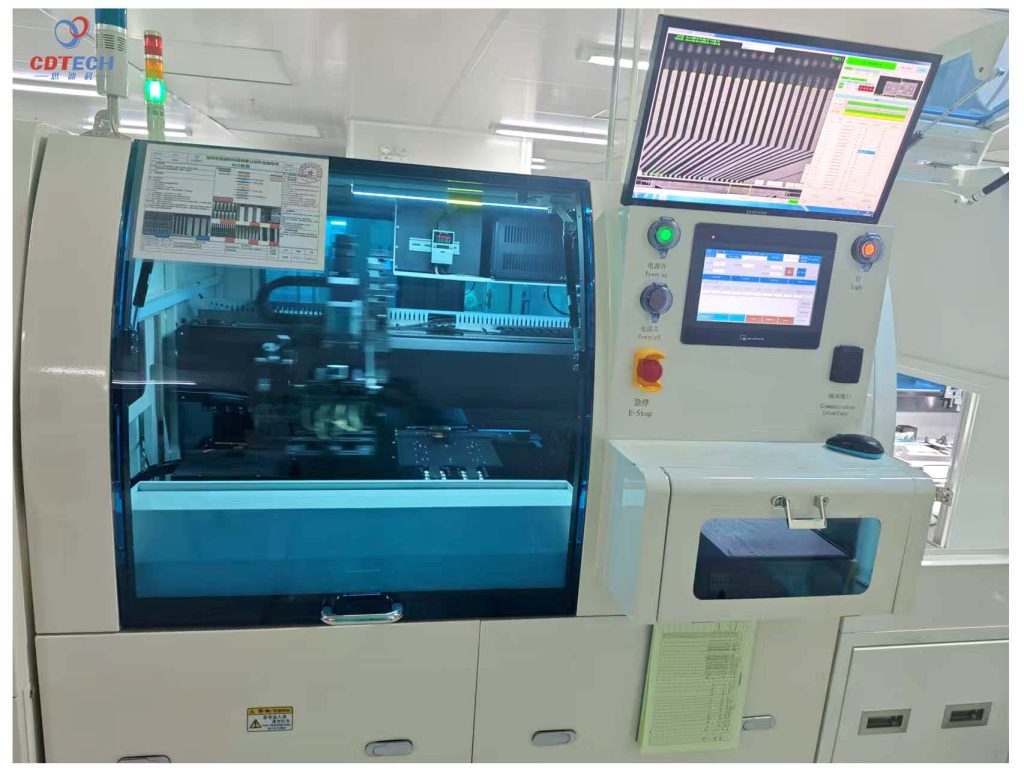
In large-scale TFT LCD production, preventing these defects requires strict process control, including cleanroom environments, automated optical inspection (AOI), and precise optical bonding techniques to ensure uniform light distribution and structural stability.
How to Fix White Marks on LCD Screen
Quick Fixes (Limited Effectiveness)
- Screen cleaning to eliminate surface contamination
- Pixel-fixing tools (only effective for stuck pixels, not true white spots)
Professional Solutions
- Replace the LCD module if internal damage is confirmed
- Inspect backlight and diffuser structure for misalignment
- Redesign mechanical housing to eliminate pressure points
- Optimize optical bonding process to remove internal stress
How to Prevent LCD White Spot Issues (Design & Manufacturing Best Practices)
Preventing white spots on LCD screens requires a combination of optimized product design and strict manufacturing control. These defects are typically caused by mechanical stress, optical inconsistencies, or contamination during production.
For Product Design
Optimize Mechanical Structure
Ensure even support and avoid localized pressure on the display panel. Poor enclosure tolerance or structural stress is one of the most common causes of white spots.
Control Optical Bonding Quality
Maintain uniform OCA (optical clear adhesive) thickness and proper lamination conditions to prevent internal stress concentration and air gaps.
Select Industrial-Grade LCD Panels
Use displays designed for demanding environments, with features such as wide temperature tolerance, vibration resistance, and long-term stability.
For Manufacturing Control
Cleanroom Environment
Dust and particles can disrupt liquid crystal alignment and diffuser performance. Controlled cleanroom conditions are essential to minimize contamination.
Automated Optical Inspection (AOI)
AOI systems enable 100% inspection of display defects, ensuring early detection of white spots and backlight irregularities.
Backlight & Diffuser Precision Control
Ensure proper alignment of LED backlight units and diffuser films to maintain uniform light distribution across the screen.
Stress & Reliability Testing
Temperature cycling, pressure testing, and long-term aging tests help identify structural weaknesses that may lead to white spot formation.
Summary
In both design and manufacturing stages, preventing white spots depends on minimizing mechanical stress, ensuring optical uniformity, and maintaining strict process control. These practices are especially critical in industrial and medical applications where display reliability is essential.
White Spots vs Dead Pixels: What’s the Difference?
In display diagnostics, white spots are often confused with pixel defects such as dead pixels or stuck pixels. However, they are fundamentally different:
|
Issue |
Definition |
Appearance |
Fixability |
|
White Spot |
Optical or pressure-related defect |
Bright patch or uneven area |
Low |
|
Dead Pixel |
Pixel completely non-functional |
Black or white dot |
Very low |
|
Stuck Pixel |
Subpixel stuck ON (RGB) |
Red/green/blue dot |
Medium |
|
Hot Pixel |
Always emitting light |
Bright point on dark screen |
Medium |
In practice, pixel defects appear as small, fixed dots, while white spots usually present as irregular bright areas that may change under pressure. This distinction is critical for both users and manufacturers when diagnosing display issues.
Other common LCD display issues include vertical lines on LCD, LCD ghosting, LCD ghost image, and LCD burn in, which require different diagnostic and repair approaches.
Industrial Solutions for White Spot Issues
In mission-critical applications—such as medical devices, automotive displays, and precision instruments—white spots are not just cosmetic defects but indicators of potential reliability risks.
To address this, industrial-grade LCD solutions focus on:
- Reinforced display structures to resist mechanical stress
- Optimized backlight uniformity design
- Advanced optical bonding to eliminate internal gaps
- Strict environmental and reliability testing
These approaches ensure stable display performance even under extreme operating conditions.
Need a reliable LCD solution without white spot defects?
Our engineering team can help you design a more robust display solution.
Why Choose CDTech
- 10+ years of experience in TFT LCD manufacturing
- <0.1% defect rate achieved through AOI inspection and strict process control
- Certified with ISO 9001, IATF 16949, and ISO 13485 standards
- Proven expertise in industrial and medical display solutions
We focus on delivering stable, defect-controlled display solutions for high-reliability applications.
FAQ
Q: Are white spots on LCD screens permanent?
A: In many cases, yes—especially if caused by internal damage or pressure.
Q: Can white spots spread over time?
A: They may worsen if the underlying structural issue is not addressed.
Q: Are white spots covered under warranty?
A: It depends on the manufacturer and whether the issue is considered a defect or physical damage.
Q: Can white spots be fixed without replacing the screen?
A: Generally, no. Most white spots result from physical pressure or internal optical damage. While software tools may fix “stuck pixels,” true white spots caused by backlight or diffuser misalignment usually require a professional LCD module replacement
Q: Are white spots common in new displays?
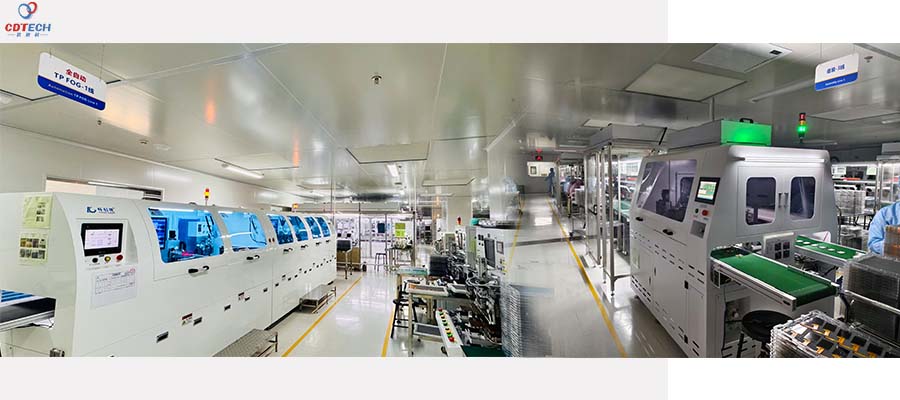
A: While rare in consumer electronics, they can occur due to manufacturing dust or improper mounting. At CDTech, we eliminate this risk by using a 3,500m² Class 1,000 dust-free workshop and Automated Optical Inspection (AOI) to ensure <0.1% defect rates.
Q: Do white spots get worse over time?
A: Yes, they can spread if the underlying structural stress or environmental issue is not addressed. Continuous mechanical pressure or extreme temperature fluctuations often cause localized bright patches to expand across the TFT panel.
Q: Is white spot a manufacturing defect?
A:It depends on the root cause. If the spot is caused by LED light leakage or contaminated diffuser films, it is a manufacturing defect. However, spots caused by tight enclosure designs or external impact are classified as mechanical damage
Q: What causes white spots on new LCD screens?
A: White spots on new displays are usually caused by manufacturing issues such as dust contamination, uneven backlight diffusion, or improper assembly. In high-quality production environments, these risks are minimized through cleanroom manufacturing and strict quality control.
Summarize
For industrial, medical, and automotive LCD applications, controlling mechanical stress, ensuring uniform backlight design, and implementing strict cleanroom manufacturing via AOI inspection are critical to achieving ultra-low white spot defect rates. Partner with CDTech for engineered solutions tailored to high-reliability display needs.