Black Spots on Display: Causes, Fixes, and LCD Failure Prevention Guide
 2026-07-01
  13:57
13:57 

Quick Answer
|
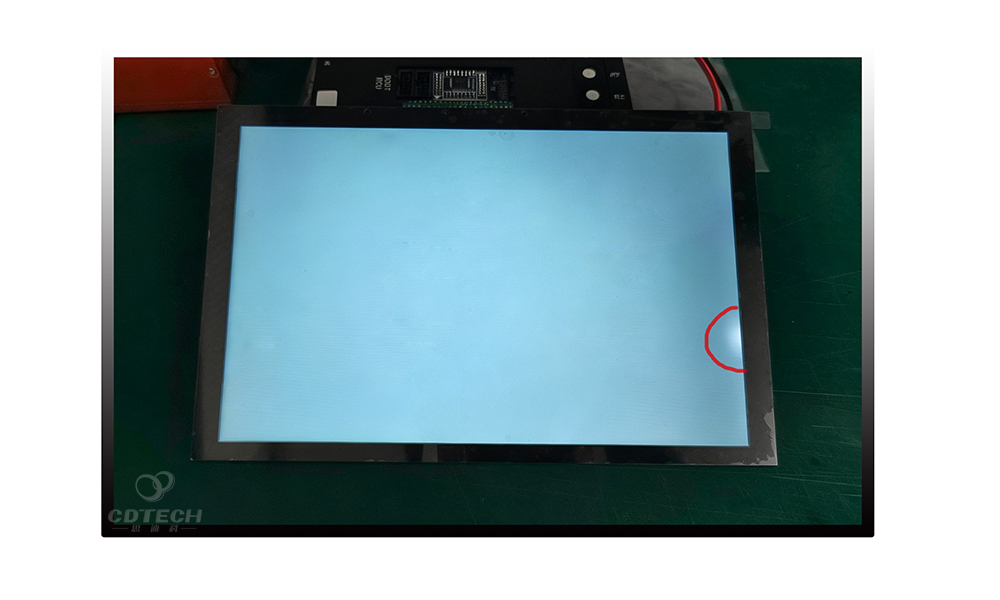
Black spots, dark smudges and tiny black dots frequently appear on smartphones, laptops, monitors and industrial TFT LCD screens. They mainly stem from dead pixels, screen pressure bruises, internal panel cracks, trapped contaminants or OLED pixel aging.
Minor dead pixels usually remain unchanged over time, while pressure damage, internal cracks and liquid crystal leakage may cause dark areas to expand. In most cases, black spots indicate permanent hardware damage that requires panel replacement. Only temporarily stuck colored pixels may be recoverable through pixel-refresh software. |
What Are Black Spots on Display Screens?
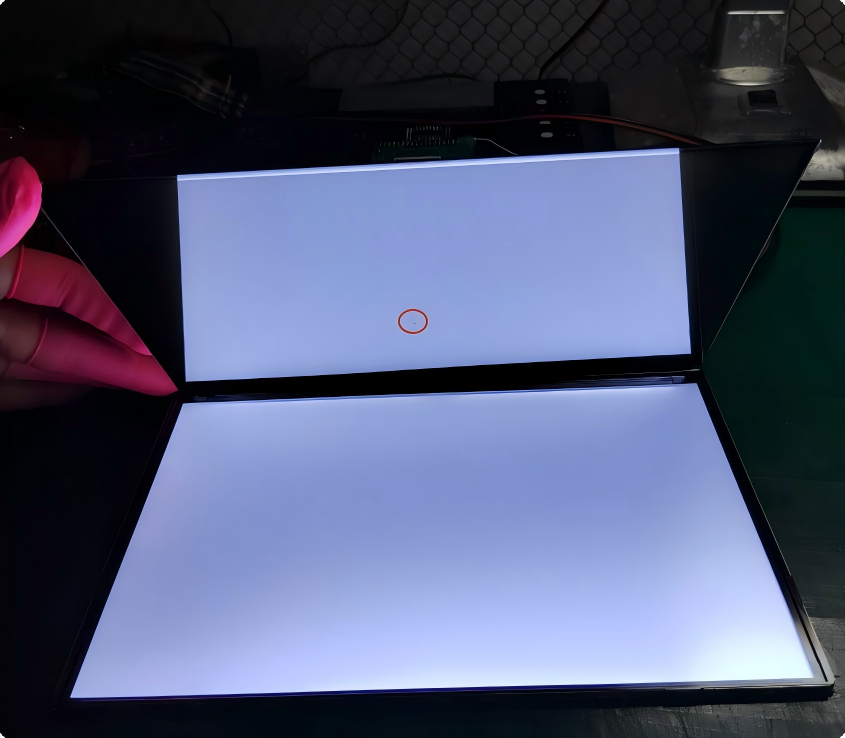
When dark areas appear on a display, users often refer to them collectively as “black spots.”. However, different types of black spots have different causes, repairability and failure risks. In LCD and OLED displays, these defects generally fall into three categories:
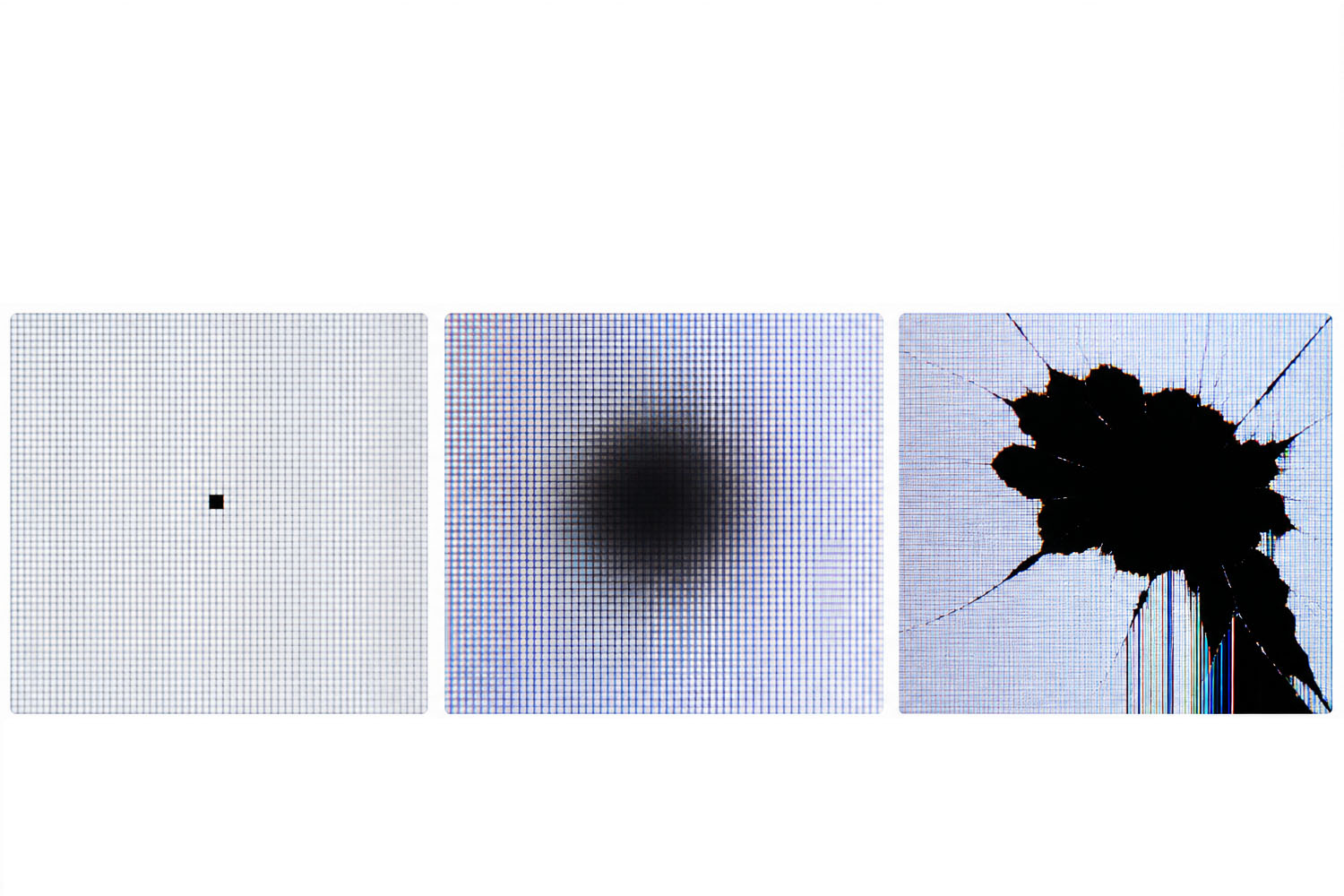
- Black Dots (Dead Pixels)Tiny square/rectangular dark micro-dots, usually single pixels or small pixel clusters, fixed in size without expansion risk.
- Cloudy Black Spots (LCD Bruise / Pressure Marks)Blurry circular dark patches or localized discoloration of screen areas with soft edges, almost always emerging after squeezing, pressing or heavy impact on the screen surface.
- Large Irregular Black PatchesWide hard-edged dark blocks, indicating severe panel structural failure, liquid crystal displacement or broken internal glass substrates.
The illustration below compares the three most common black spot defects found on LCD displays: dead pixels, LCD pressure bruises and cracked-panel black patches.
(The colored lines shown in the cracked panel image are secondary damage caused by substrate fracture rather than black spot defects themselves.)
What Causes Black Spots on Displays?
In industrial TFT LCD applications, black spots are most commonly caused by pressure damage, dead pixels, contamination, or internal panel cracks.
- Dead Pixels
Pixel drive circuit failure caused by TFT transistor defects, open circuits, short circuits, or manufacturing abnormalities.
- LCD Bruise (Pressure Damage)
Local external force squeezes the two layers of panel glass, changing the internal cell gap,altering cell gap uniformity and disrupting liquid crystal alignment. Severe LCD bruises are generally irreversible and often require panel replacement.
For a detailed explanation of how pressure marks form and why they spread, see our guide on LCD Pressure Damage.
- Internal LCD Cracks
Hard drops, bending or violent impact creates tiny fractures on inner TFT/CF glass, while the outer protective glass remains intact. The sealed LCD cell structure breaks instantly, causing localized black areas that may expand if liquid crystal redistribution or seal damage occurs.
- Contamination Inside the Panel
During cell lamination and module assembly, dust, fiber debris or chemical residues get sealed inside optical layers without strict dust-free workshop control. These foreign objects block backlight transmission and form permanent fixed black spots.
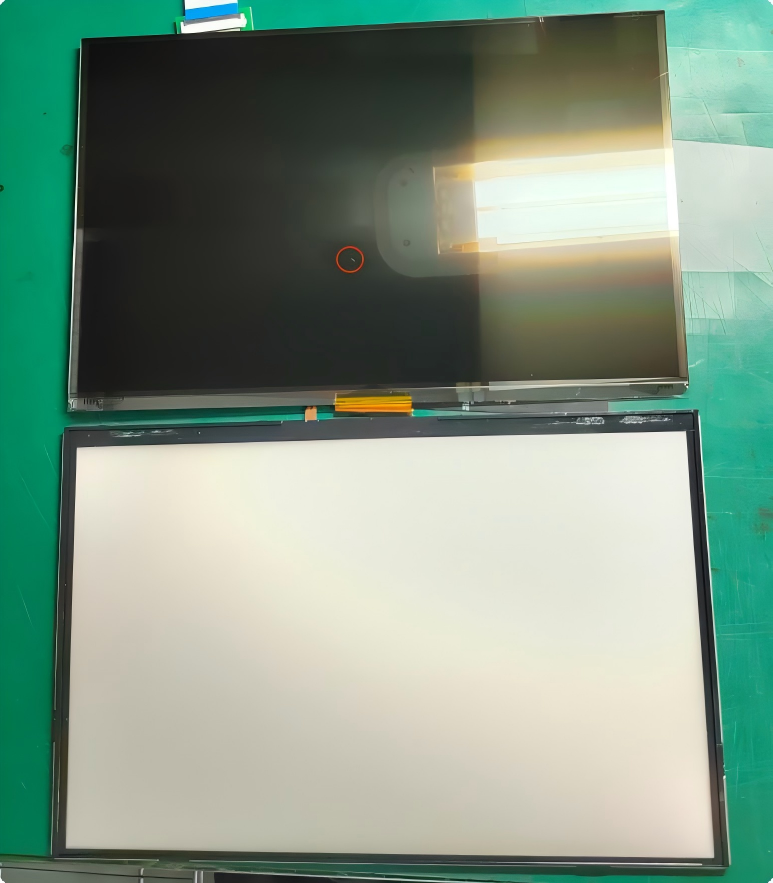
Image Caption: On-site workshop footage: black spots caused by trapped dust particles inside LCD panels
If the defect appears bright instead of dark, it may be related to contamination or optical layer damage. Learn more in our White Spots on LCD Screen guide.
- OLED Pixel Failure
OLED panels rely on self-luminous organic materials instead of backlights. Black spots on OLEDs come from encapsulation layer micro-cracks letting moisture invade, which deactivates luminous organic substances and kills pixels or whole screen zones.
Black Spot Defect Comparison Chart
|
Defect Type |
Appearance |
Spreading Risk |
Repairable |
|
Dead Pixel |
Tiny black dot(Always Black) |
No |
No |
|
Stuck Pixel |
Bright/Colored: Red, Green, or Blue |
No |
Sometimes |
|
LCD Bruise |
Cloudy dark patch |
Possible |
No |
|
Internal Crack |
Irregular black area |
High |
No |
|
Internal Contamination |
Fixed dark spot |
No |
No |
|
OLED Pixel Degradation |
Dark region |
Possible |
No |
Can Black Spots on Display Be Fixed?
Scenario 1: Recoverable Issue – Only Stuck Pixels
Stuck colored pixels (not true black dead pixels) can be revived by software pixel refresh tools or RGB color cycle video loops. The repeated color cycling may restore normal operation of a temporarily stuck sub-pixel.
Scenario 2: Irreversible Hardware Damage – Most Black Spots
90% of screen black spots belong to permanent physical damage: pressure bruises, internal glass cracks, trapped contaminants and dead pixels. Software cannot repair deformed glass, leaked liquid crystal or sealed foreign dust. The only effective solution: full replacement of the LCD/OLED display panel.
If the abnormal area is caused by uneven backlight rather than physical damage, see our guide on LCD Screen Bleeding.
Do Black Spots Spread?
Real User Feedback
Many users report that a single black dot screen might stay unchanged for years. However, if you notice patches on laptop screen devices after transit, or severe black pressure marks on laptop screen cells due to heavy objects placed on top, these dark areas often grow bigger month by month. This is particularly common for fragile premium displays, such as finding sudden black spots on macbook screen assemblies after minor keyboard pressure.
Technical Reason for Expanding Black Spots
- LCD pressure bruises & internal layer damage: Long-term temperature cycling and subtle mechanical stress further misalign surrounding liquid crystal molecules.
- Broken LCD sealing: Liquid crystal fluid leaks and air enters the cell, continuously expanding the dark invalid area.
- OLED encapsulation cracks: Moisture slowly spreads inside the panel, accelerating organic light-emitting material decay.
Why Black Spots Occur More Frequently in Industrial Equipment?
Industrial control, medical and automotive displays run under extreme harsh conditions, with unique failure causes:
- Assembly stress: Excessive screwdriver torque or uneven clamping fixtures during product assembly
- Poor mechanical structural design: Chassis components squeeze the LCD back due to insufficient internal space
- Over-tight front bezels: Narrow tolerance bezels pinch screen edges and form LCD bruises
- Thermal expansion stress: Different expansion rates of housing, bezel and LCD glass create continuous extrusion under high-low temperature cycles
How to Prevent Black Spot Issues
Black spot prevention strategies differ between consumer electronics and industrial display systems.
For Daily Use: Phone, Laptop & Monitor Screens
- Never press hard on the screen during cleaning or operation
- Avoid placing heavy objects on closed laptops
- Use shockproof packaging when transporting portable displays
For Industrial LCD Module Installation & Deployment
- Control screwdriver torque strictly within factory specifications (e.g., usually ≤ 1.5 kgf·cm / 0.15 N·m for plastic bezels) to avoid twisting the screen or generating uneven local stress.
- Reserve sufficient clearance (at least 0.5mm recommended) between the screen bezel and equipment housing to buffer mechanical impacts.
- Use anti-static EPE foam for shipping to absorb vibration and shock.
How Professional LCD Manufacturers Eliminate Black Spot Risks
Based on field experience and thousands of TFT LCD modules inspected each year, pressure damage and improper installation remain the most common causes of black spot complaints, accounting for significantly more cases than manufacturing contamination.
During thermal cycling and vibration testing, black spots caused by mounting stress often become more visible after repeated environmental exposure.
As a national high-tech TFT LCD manufacturer founded in 2011, CDTech controls black spot defects from raw material to finished goods via full-process quality management, covering DQE, SQE, IQC, IPQC, FQA and OQC systems.
Multi-Stage Defect Inspection To Catch Black Spots Early
- CDTech applies a multi-stage quality control process to identify contamination, pressure damage and hidden structural defects before shipment, including:
- IQC Incoming Inspection: 100% inspection of optical films and glass substrates to eliminate raw material defects.
- AOI & Optical Inspection: Automated inspection combined with brightness and chromaticity testing to identify contamination, pressure marks and pixel abnormalities.
- Reliability Testing: Thermal shock, high-temperature/high-humidity operation, vibration and aging tests to expose latent structural failures.
- FQA Final Audit: Finished products are inspected according to international AQL sampling standards before shipment.
Advanced Production Process To Avoid Contamination & Pressure Damage
To further minimize black spot risks, CDTech combines Class 1000 cleanroom production, precision OCA full lamination, automatic AOI inspection, and long-term reliability aging to reduce contamination, improve optical stability and eliminate latent defects before delivery.

Image Caption: CDTech complete 6-link quality management system to prevent display black spot defects
People Also Ask
Q: How to fix black spots on display screens?
A: Only stuck colored pixels can be fixed with pixel recovery software. All black spots caused by pressure damage, internal cracks, contamination or dead pixels are permanent; panel replacement is required.
Q:What causes black spots on laptop screens?
A: Mechanical impact/pressure bruises, dead pixel clusters, backlight aging, internal dust contamination from high humidity, and OLED static image burn-in.
Q: Are screen black spots permanent?
A: Dead pixels, LCD pressure bruises, internal cracks and trapped dust are permanent. Only temporary stuck pixels or image retention can recover without replacement.
Q: Can LCD pressure bruises be repaired?
A: No permanent repair solution exists. Minor discoloration may fade visually over time, but damaged liquid crystal layers cannot be restored; panel replacement is necessary.
Q: Why is my black spot getting larger?
A: Expansion happens due to screen pressure damage, internal glass cracks, liquid crystal leakage or OLED encapsulation moisture invasion. Industrial screens with poor structural design will accelerate defect growth under thermal cycling.
Q: Should I replace a display with black spots?
A: Replace the panel if the spot blocks viewing, keeps expanding or comes from internal structural damage. Tiny single dead pixels are acceptable for non-critical equipment.
Q: Is a black spot covered under LCD warranty?
A: Usually not. Black spots caused by pressure damage, impact, or internal panel cracks are generally considered physical damage and are not covered under standard warranties. If the black spot results from a manufacturing defect, warranty eligibility depends on the manufacturer’s dead pixel policy, quality standards, and warranty terms.
Q: How to distinguish dead pixels vs screen damage black spots?
A: Dead pixels are tiny single black dots with fixed size. Screen damage creates large irregular dark patches from internal cracks or liquid crystal leakage.
Q: How to select industrial LCD panels to avoid mass black spot defects?
A: Cooperate with manufacturers equipped with Class 1000 dust-free workshops, full AOI inspection and complete reliability aging tests, like CDTech’s standardized quality control system.
Q: What causes a small black dot on monitor screens?
A: If you spot a tiny black dot screen anomaly or a persistent dark spot on display surfaces, it is usually a dead pixel cluster, a trapped dust particle, or minor LCD spot damage.
Conclusion
If you’re evaluating a display failure or selecting an LCD module for a new project, understanding the root cause of black spots is the first step toward improving long-term reliability.
CDTech ‘s engineering team can help analyze failure mechanisms, evaluate reliability risks, and recommend the most appropriate TFT LCD solution for your application.
Related LCD Troubleshooting Guides