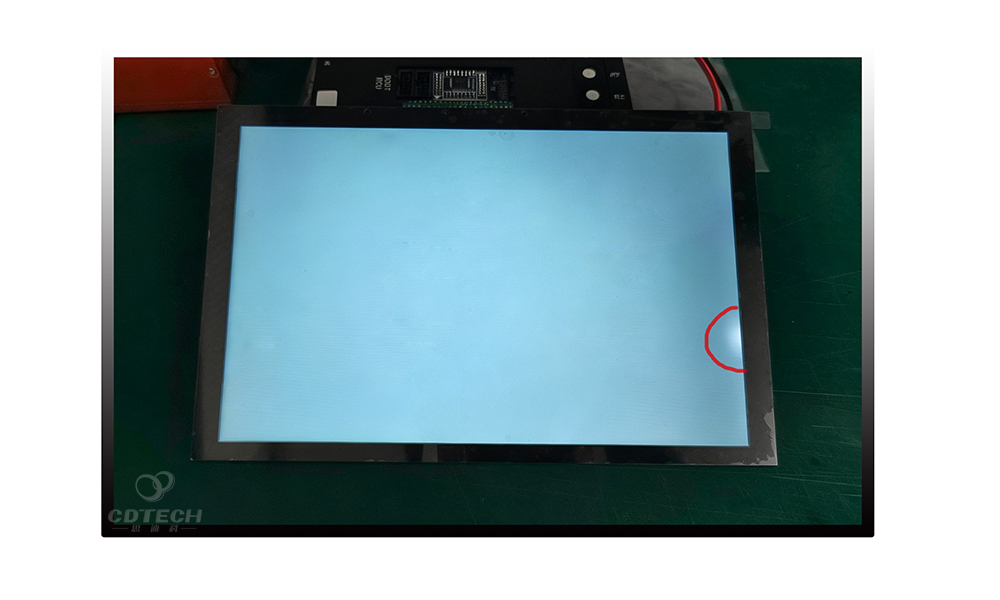
IPS LCD burn in: causes, prevention, and real-world lifespan of IPS displays
 2026-03-13
  18:45
18:45 

IPS LCD “burn-in” remains one of the most misunderstood topics in display technology. As professionals and consumers heavily compare IPS monitors, laptop screens, tablets, and high-performance industrial panels against self-emissive OLED displays, clear data is often replaced by confusion. Many users worry that an IPS display will suffer permanent ghost images, icons, or taskbars. In reality, the vast majority of persistent artifacts on an IPS panel are temporary image retention—a fully reversible material phenomenon.
To design, specify, purchase, or operate display systems confidently in 2026, you need a rigorous, data-driven understanding of how In-Plane Switching (IPS) technology behaves under sustained load, how it contrasts with OLED degradation, and how to maximize hardware return on investment (ROI).
IPS Image Retention vs. True Burn-In: The Technical Distinction
Understanding the operational difference between temporary image retention and permanent burn-in determines whether a display system requires a costly hardware replacement or simply a modified usage pattern and a brief recovery period.
+-------------------------------------------------------------------------+
|                          DISPLAY ARTIFACTS                              |
+------------------------------------+------------------------------------+
|     TEMPORARY IMAGE RETENTION      |         PERMANENT BURN-IN          |
|  (Predominant in IPS/VA LCDs)      |     (Predominant in OLEDs)         |
+------------------------------------+------------------------------------+
| • Reversible over time             | • Irreversible degradation        |
| • Driven by trapped electrical     | • Driven by uneven sub-pixel       |
|   charges or slow LC relaxation    |   organic emitter aging            |
| • Cleared via mixed content/rest   | • Requires panel replacement       |
+------------------------------------+------------------------------------+
Temporary Image Retention (IPS LCD)
On an IPS LCD panel, ghosting occurs primarily due to charge trapping within the thin-film transistor (TFT) layer or slow relaxation within the liquid crystal cell. When a high-contrast static element (like a browser tab row, software sidebar, or gaming HUD) stays fixed for hours, the local sub-pixels are driven at a constant voltage.
This sustained electrical field can cause a minor, residual capacitive charge to build up. When the content changes, the affected liquid crystals do not instantly return to their baseline orientation, causing them to transmit slightly more or less light than intended. Because this mechanism is strictly electrical and material-elastic, the ghosting fades once the residual charge dissipates.
Permanent Burn-In (OLED)
True burn-in is an irreversible, hardware-level degradation. In self-emissive displays like OLED or QD-OLED, each pixel generates its own light via organic light-emitting diodes. When static UI elements (such as platform taskbars or news channel tickers) remain illuminated at high brightness for extended periods, those specific sub-pixels degrade and lose peak brightness faster than the surrounding areas. A panel refresh feature can balance uniformity by dimming the rest of the panel, but it cannot restore the physical lifespan of the prematurely aged organic material.
Core Technology Analysis: Why IPS LCD is Resilient
The inherent resilience of IPS LCD panels against permanent damage stems from three architectural pillars:
-
Shared Uniform Backlight: Unlike OLED, where brightness is tied directly to the coordinate position of static graphics, an IPS LCD utilizes a constant global backlight (or a structured mini-LED grid) positioned behind a matrix of liquid crystal cells. The liquid crystals act purely as optical shutters, rotating to modulate light transmission rather than emitting light themselves. Consequently, localized static graphics cannot cause localized emitter burnout.
-
Non-Emissive Material Properties: The liquid crystal molecules change orientation under an active electric field and naturally relax when the field is removed or inverted. They do not experience individual luminance decay.
-
Advanced Electrical Inversion Schemes: Modern timing controllers (T-Cons) and drive electronics employ sophisticated AC inversion driving patterns (such as frame inversion or dot inversion). By constantly flipping the polarity of the voltage applied to the liquid crystal cells, the electronics prevent the long-term unidirectional electrical stress that accelerates severe charge trapping.
Real-World Lifespan and Thermal Stress Factors
An IPS display provides a predictable operational lifecycle. An industrial-grade or premium consumer IPS panel typically delivers 30,000 to 60,000 hours of active use before the backlight degrades to half of its original brightness.
Lifespan Projection: Under a standard enterprise workload of 8 hours per day, an IPS monitor will reliably last between 10 to 20 years. The actual end-of-life for an IPS system is dictated by the uniform aging and gradual dimming of the backlight, rather than persistent, localized ghosting.
However, operational environments dictate the intensity of temporary image retention. The phenomenon is heavily accelerated by two interacting variables:
-
Voltage Misalignment & High Contrast: Long-term exposure to high-contrast static grids (e.g., pure white windows parked next to dark background apps) creates sharp voltage differentials across adjacent pixel boundaries, anchoring the charge trapping effect.
-
High Heat & Maximum Brightness: Operating a display at 100% factory-default brightness forces the backlight to generate significant internal thermal stress. Elevated panel temperatures lower the viscosity of the liquid crystal fluid and increase the mobility of stray ions within the TFT layers, dramatically accelerating the rate at which electrical charges become trapped.
Scenario Analysis: Usage Patterns and Cross-Technology Risks
Display selection must be aligned with the intended workload profile. While high refresh rates (such as 144 Hz or 175 Hz) ensure motion clarity, they have zero impact on image retention; static placement remains the primary risk factor.
          LOW RISK                                     HIGH RISK
             |                                            |
[ Dynamic Media / Gaming ] ----> [ Mixed Office Work ] ----> [ 24/7 Fixed UI / Signage ]
  Frequent screen updates          Intermittent static UI       Unchanging asset tracking
  Minimizes pixel lock             Manageable via timers        Requires ruggedized hardware
Work-from-Home (WFH) & Enterprise Desktops
Sustained productivity workloads are exceptionally taxing on self-emissive displays. Having static spreadsheets, development IDEs, toolbars, and chat applications open in the exact same desktop coordinates for 8 to 10 hours a day creates high-risk conditions for OLED panels. Empirical long-term testing reveals that while a mixed-use OLED desktop can show minimal degradation after thousands of hours, a dedicated productivity layout can develop visible, permanent marks from browser bookmarks or app borders within months under high-brightness conditions. For these reasons, enterprise-heavy environments overwhelmingly favor IPS or mini-LED panels for primary workstations.
Gaming & Ultrawide Content
Gaming environments introduce a mix of dynamic rendering and dense static UI (minimaps, health bars, scoreboards, and streaming overlays). On an ultrawide monitor used concurrently for work and play, app chrome parked in fixed horizontal bands presents a distinct challenge. While an OLED gaming monitor offers superb dark-room contrast, it requires active, vigilant desktop habits (hiding taskbars, using dark themes, lowering SDR brightness). An IPS gaming monitor allows users to leave static game interfaces or launchers active without the underlying anxiety of irreversible panel ruin.
Industrial, Signage, and 24/7 Critical Applications
In medical devices, transportation dashboards, human-machine interfaces (HMIs), and broadcast control rooms, interfaces run continuously without changing layout. To ensure that critical diagnostic or telemetry data is never obscured by ghost artifacts, system integrators rely on ruggedized IPS TFT modules.
A prominent example of engineering for these demanding environments is seen at Shenzhen CDTech Electronics Ltd. (established in 2011). CDTech specializes in manufacturing custom TFT LCD displays, capacitive touch panels, and industrial-grade solutions. By leveraging advanced “2nd Cutting” manufacturing technology and tailored IPS modules, they supply high-reliability displays optimized for ultra-low image retention, long backlight lifecycles, and stable performance under non-stop operational stress.
Comprehensive Cross-Technology Matrix
The following matrix contrasts how the primary display technologies handle long-term static exposure.
| Technology | Permanent Burn-In Risk | Behavior & Recovery of Image Retention | Recommended Operational Profiles |
| IPS LCD | Very Low | Retention is temporary; typically clears completely with panel rest or moving content. | Office productivity, 24/7 static UI, industrial HMIs, medical devices, financial dashboards. |
| VA LCD | Low | Minimal temporary retention; permanent artifacts are highly rare. Backlight determines lifespan. | Living-room televisions, mixed-use desktop monitors, budget digital signage. |
| Mini-LED LCD | Low | Low retention risk; high peak brightness requires proper thermal management to prevent zone aging. | HDR content creation, high-brightness gaming, premium WFH workstations. |
| OLED / QD-OLED | Meaningful | Cumulative pixel wear is permanent. Short-term retention occurs but can signal uneven sub-pixel decay. | Cinematic entertainment, color-accurate dark-room editing, rotational gaming without static UI. |
Practical Protocols: Prevention and Restoration
Mitigating display artifacts requires a combination of proactive operating system configurations and targeted restoration techniques.
Preventive Configuration Checklist
-
Optimize Display Sleep Timers: Configure the operating system to dim or turn off the screen after 5 to 10 minutes of inactivity (for OLED/QD-OLED) or 10 to 15 minutes (for IPS/VA LCD). This is the single most effective defense against static wear.
-
Manage SDR Desktop Brightness: Reduce daily desktop brightness to a moderate level (around 50% to 70%, or a target of 120–150 nits depending on room lighting). Lowering backlight drive dramatically reduces thermal strain and voltage stress.
-
Deploy Dynamic Screensavers & Dark Themes: While screensavers are largely obsolete for preventing burn-in on modern LCD panels due to sleep modes, they serve as a valuable secondary backup layer for OLEDs by interrupting static sessions. Utilize system-wide dark modes and auto-hiding taskbars to cycle pixels out of a constant high-voltage state.
-
Enable Hardware Protection Protocols: On OLED displays, ensure that built-in pixel shifting, logo luminance dimming, and automatic panel refresh cycles remain enabled. Always leave OLED monitors connected to a live power source after turning them off so that the automated 6- to 10-minute image-cleaning cycles can execute completely in standby mode.
How to Diagnose and Fix Temporary IPS Retention
If you notice a faint outline of an application window, taskbar, or static widget lingering on your IPS screen, apply the following diagnostic and recovery protocol:
-
Isolate and Diagnose: Display a uniform, solid mid-gray or pure white image across the entire screen. Observe the intensity and sharpness of the ghost image.
-
The Power Rest Cycle: Power down the display completely overnight (or for a continuous block of 8 to 12 hours). Because IPS retention is caused by a temporary electrical charge trap, removing all voltage allows the liquid crystal layer to completely relax and return to its default state.
-
Active Pixel Exercising: If the artifact remains visible after a rest cycle, run dynamic, fast-moving video content or a full-screen alternating color gradient pattern for 30 to 60 minutes. Many professional monitors include dedicated “screen wash” or “pixel refresh” utilities in their On-Screen Display (OSD) menus that rapidly cycle solid primary colors to normalize sub-pixel capacitance uniformly across the panel.
-
Gamma and Brightness Adjustments: Temporarily lowering the display’s brightness or slightly adjusting the gamma curve can reduce the visibility of minor, lingering charge patterns while the underlying material stabilizes under varied daily use. Only if an artifact remains completely unchanged across multiple weeks of mixed usage should near-permanent panel or backlight non-uniformity be suspected.
Strategic Purchasing Decision Funnel
When deploying display hardware, structure your decision matrix across three operational levels:
[ LEVEL 1: AWARENESS ] ----> Evaluate Content Profile & Duty Cycle
                             Static UI Dominant? -> Lean toward IPS/LCD
                             Dynamic/Cinematic?  -> Consider OLED

[ LEVEL 2: EVALUATION ] ----> Compare Panel Grades, Backlight Ratings & Thermals
                             Verify 30k-60k Hour Lifespan
                             Look for robust T-Con inversion schemes

[ LEVEL 3: ACTION ]     ----> Deploy Hardware Configurations
                             Set 50-70% SDR Brightness
                             Enforce strict Sleep Timers
By accurately mapping your daily application workflows against the structural strengths of each panel technology, you ensure maximum display longevity, predictable maintenance costs, and a pristine visual experience across the entire lifecycle of your hardware investment.