1280×800 TFT LCD Display: Resolution Advantages and Industrial Applications
 2026-08-27
  10:00
10:00 

A 1280×800 TFT LCD is often considered because it offers more workspace than a basic wide-screen panel without demanding the enclosure size or processing budget of a full-HD design. Yet display resolution is only one part of an industrial display decision. Interface compatibility, luminance, contrast, viewing distance, touch construction, thermal limits, and mechanical fit determine whether the image is useful in the finished machine. This guide explains what 1280×800 means, how to compare it with other resolution sizes, and how an OEM can turn the requirement into a verifiable module specification.
What Does 1280×800 Display Resolution Tell an Industrial Buyer?
How does a 1280×800 pixel grid affect industrial content?
The 1280×800 matrix contains 1,024,000 addressable pixels in a 16:10 layout. That additional vertical space can help a control interface show status values, alarms, navigation, and a trend view without compressing every element into a narrow strip. It can also preserve room for readable labels when a machine display must present both operating data and a visual reference.
The practical value of this pixel grid depends on the physical diagonal and viewing distance. A small panel inspected close to the operator can use the pixels for fine text and icons. A larger panel mounted farther away may need larger controls, stronger contrast, or a different resolution so that the same information remains legible. A sample with the actual user interface is more meaningful than a pixel count viewed in isolation.
Why is viewing distance part of a display resolution comparison?
Resolution defines the grid, not the complete visual result. Two modules with the same screen matrix can differ in pixel density, optical stack, contrast, luminance, viewing angle, and surface reflection. A panel used behind protective glass may therefore look less clear than an uncovered sample even though the source image is identical.
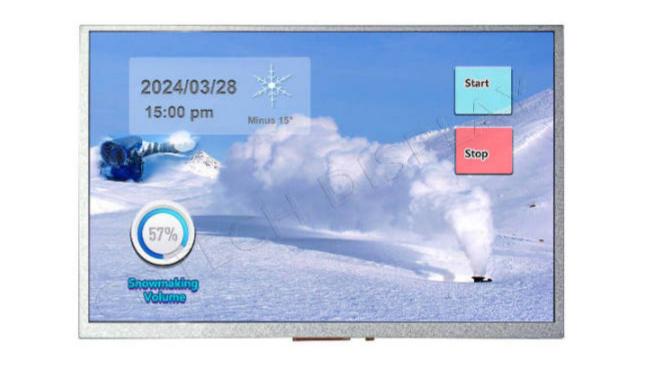
For this reason, an industrial buyer should compare the intended distance, ambient light, font size, icon stroke, and enclosure angle together. The common resolution that works for a handheld instrument may not be the right choice for a machine cabinet or a vehicle console. Resolution sizes are useful starting points, but acceptance should be based on the complete viewing condition.
How Should Buyers Compare Resolution Sizes and Monitor Requirements?
Which common display resolution fits a given industrial task?
There is no universal winner among 800×480, 1024×600, 1280×720, 1280×800, and 1920×1080. A lower matrix can suit a compact status interface with large controls. A 1280×800 panel can provide a balanced 16:10 workspace for dashboards, configuration screens, and moderate image detail. A higher matrix may be useful when the application displays dense diagrams or detailed images, but it can also require more graphics bandwidth and a different enclosure.
The right pixel matrix should be selected after the OEM defines the content, refresh behavior, host output, diagonal, and viewing distance. A display resolution comparison should also consider whether the source system can generate the chosen timing and whether the user interface can scale cleanly. For a 7-inch display resolution, the same checklist should include the bezel, hand-held viewing distance, and available touch area. Selecting the largest number on a table can create unnecessary integration work without improving the operator task.
What should a display resolution monitor brief include?
A useful specification brief identifies active area, outline dimensions, aspect ratio, luminance target, contrast target, viewing direction, operating temperature, and the intended cover lens. It should state whether the module is a bare LCD, a TFT display module, or a complete assembly with touch and controller electronics. These details keep the pixel requirement connected to the physical product.
The brief should also state the host board, connector orientation, cable length, mounting points, and power limits. If the module will be installed near motors or switching electronics, the request should include cable and EMI expectations. This approach makes the LCD display resolution requirement actionable because it links pixels to the electrical, optical, and mechanical conditions that affect acceptance. These are the practical display-resolution types an OEM should separate before sample review.
Which TFT Interface and Optical Specifications Complete the Decision?
How do RGB, LVDS, MIPI, EDP, and HDMI change integration?
The TFT interface determines how image data travels from the host to the module. RGB and MCU paths, LVDS, MIPI, EDP, and HDMI each impose different requirements for timing, lane or signal routing, connectors, cable length, and firmware or bridge electronics. A host that can output one interface cannot automatically drive every TFT display module with the same pinout.
The buyer should confirm signal voltage, timing, pin assignment, connector pitch, FPC direction, and whether touch uses a separate controller path. The interface selected for a candidate module should be checked against the host board before the mechanical design is frozen. These checks often prevent a late redesign that has nothing to do with the nominal pixel count.
What makes an HD TFT screen suitable for industrial use?
An HD TFT screen for industrial service should be evaluated as a system. Luminance and contrast affect readability, while viewing angle and optical bonding affect how the image behaves in the installed position. Touch construction, cover glass, cable routing, EMI protection, operating temperature, and mechanical tolerance also matter.
Sample approval should define the test image, brightness setting, viewing positions, temperature condition, and host timing. It should also record whether the touch response, connector retention, and cable behavior remain acceptable after assembly. A documented acceptance method is more reliable than treating the term HD as a guarantee of industrial performance.
How Can CDTech Support a 1280×800 TFT Display Module Project?
Which verified CDTech module can serve as a 1280×800 reference?
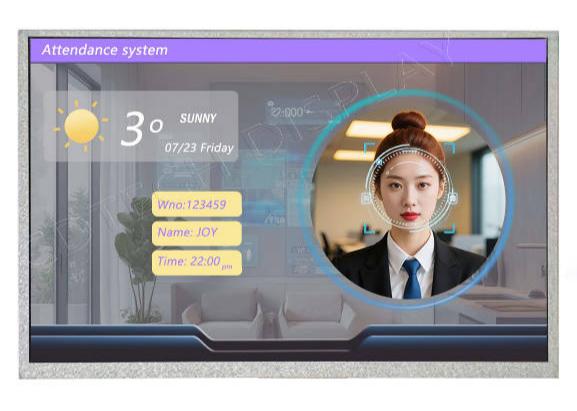
CDTech’s S101HWX34HD-DC43 provides a concrete reference for evaluating a 1280×800 TFT display module. The documented model is a 10.1-inch IPS TFT LCD with 1280×800 resolution, 400-nit luminance, and 1000:1 contrast. It uses an LVDS LCD interface and an IIC touch interface, with 10-point capacitive touch, and EMI protection on the LCD cable.
These are model-specific facts, not universal properties of every 1280×800 module. An OEM should still validate the image, touch behavior, enclosure, cable route, power budget, and environmental conditions in the target system. The reference is useful because it shows how pixel count, optical data, interface, touch, and temperature can be reviewed as one engineering package.
What should an OEM include in a CDTech customization enquiry?
With our products, a useful enquiry includes the active area, outline and mounting constraints, FPC pinout, connector, backlight target, dimming method, touch requirement, EMI or ESD concerns, host interface, and operating environment. It should also include a drawing or sample enclosure and identify which requirements are mandatory for production approval.
We can evaluate whether an existing TFT display module, a modified configuration, or a custom resolution route best fits the project. Our review remains project-specific: the final interface, optical performance, touch construction, and environmental limits must be confirmed against drawings and samples before release.
FAQ
Q: Is 1280×800 a good industrial display resolution?
A: It can be a strong fit when the application needs a 16:10 workspace for dashboards, controls, or moderate image detail. The decision still depends on diagonal size, viewing distance, content density, host output, luminance, and enclosure conditions.
Q: Does a higher screen display resolution guarantee a better image?
A: No. A higher pixel count does not replace suitable luminance, contrast, viewing angle, optical treatment, source content, or correct scaling. A sample should be evaluated in the finished viewing environment.
Q: Which TFT interface should a 1280×800 module use?
A: The host system determines the suitable interface. Compare RGB, LVDS, MIPI, EDP, or HDMI against host timing, connector, cable, firmware, touch path, and power requirements before selecting the module.