Exploring the Benefits of a 10.1 Inch Capacitive Touch Screen Display
 2026-09-10
  10:00
10:00 

Introduction: Why Does a 10.1 Inch Capacitive Touch Screen Matter?
A 10.1 inch capacitive touch screen gives product teams a useful balance between readable content and manageable enclosure size. It can show dashboards, menus, maps, or machine controls while leaving surface for finger operation. For OEM buyers, the decision is not simply the diagonal measurement. It is whether the display, touch stack, interface, cover lens, and environmental range work together in the finished product.
How Does the 10.1 Inch Format Balance Visibility and Reach?
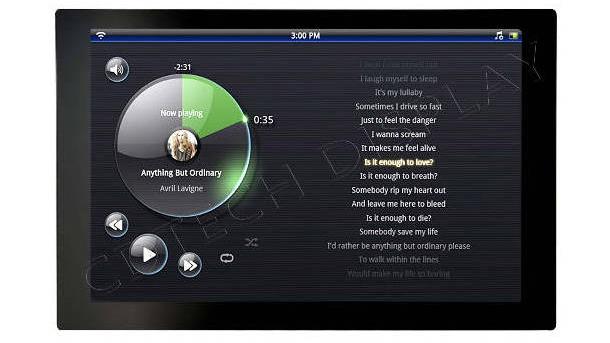
The 10.1 inch class provides extra space for labels and touch targets. This size offers a clear advantage over small handheld panels. Even with this larger screen, the displays easily fit into dashboards and operator stations. They are also highly suitable for kiosks and appliance doors. Buyers must determine a few key details before making a final selection. First, carefully define the exact viewing distance and the intended mounting angle. Finally, establish the required control count for your specific application.
Which Buyer Requirements Should Be Defined First?
Start with the application environment, expected viewing distance, glove or bare-finger operation, cover-lens shape, and host-system interface. Also document whether the product needs a capacitive touch screen LCD assembly, optical bonding, anti-glare treatment, or a specific temperature range. Clear inputs reduce redesign when the display moves from sample to integration.
What User-Experience Benefits Does a 10.1 Inch Capacitive Touch Screen Deliver?
The main attraction is direct interaction. A projected-capacitive layer can support quick taps, swipes, and multi-touch gestures when the controller and software are tuned for the application. A clear LCD image helps operators read status information without switching views, while a stable cover surface makes repeated cleaning and daily handling easier to manage.
How Do Response and Multi-Touch Improve Control?
Responsive touch shortens the gap between an operator’s action and the interface response. That matters in equipment menus, vehicle controls, and self-service interfaces. Multi-touch can support zooming, scrolling, or two-point adjustment, but the final experience still depends on firmware, grounding, glove behavior, and the host application.
What Does Capacitive Touch Screen Durability Depend On?
Capacitive touch screen durability depends on the cover material, bonding method, edge design, cleaning practice, and operating environment. OCA bonding can reduce an air gap and help the touch display appear more integrated; an anti-glare cover can improve handling under strong ambient light. These features do not guarantee a universal lifetime. They should be evaluated against the actual impact, abrasion, moisture, and temperature conditions of the product.
In a resistive vs capacitive touch screen comparison, projected capacitive technology is often preferred when gesture input, clear optics, and a smooth front surface matter. Resistive input may still suit applications that require a stylus or deliberate pressure.
Which 10.1 Inch Capacitive Touch Screen Specifications Should You Check?
Specification review protects the promised benefits. The display and touch panel work as one system: optical performance, controller behavior, connector layout, and mechanical fit all affect integration.
Which Display and Touch Specifications Must Match the System?
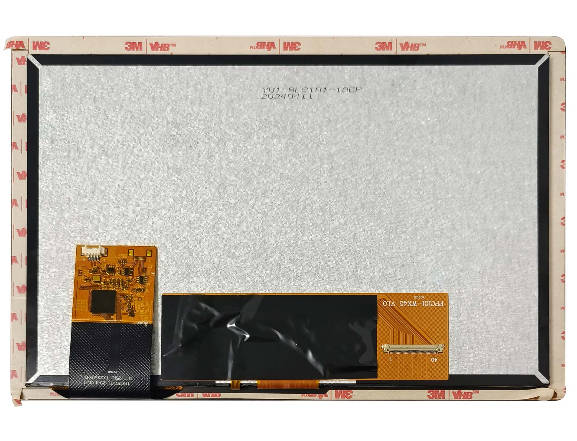
Confirm active area, resolution, luminance, viewing direction, LCD interface, touch interface, controller, and connector pinout, then connect each field to the product brief. A verified 10.1 inch IPS touch configuration combines 1280×800 resolution, 850 nits, LVDS, IIC, a GT928 controller, OCA bonding, and an anti-glare cover—an informative reference when the interface must show detailed content in variable light. A separate 10.1 inch IPS TFT record combines 1024×600, 500 nits, and a customized 40-pin LVDS interface, illustrating how connector tailoring can matter as much as pixel count in an existing host design.
The capacitive touch screen digitizer should also be checked for active-area alignment, controller compatibility, and expected touch conditions. Drawings should include the tail, connector, and mounting features.
How Do Bonding, Cover Glass, and Temperature Limits Affect Risk?
Bonding, cover-glass thickness, bezel tolerance, and cable routing influence optical clarity and assembly yield. Environmental limits must be read at the model level. The 1280×800, 850-nit touch record carries -30°C to +80°C, while the separate 1024×600 record carries -20°C to +70°C. Those values apply only to the named models.
How Does Custom Capacitive Touch Screen Development Adapt a 10.1 Inch Touch Display?
Off-the-shelf standard panels are suitable when the enclosure design, interface requirements, and operating environment match existing specifications. However, customized solutions can provide greater value by addressing specific needs, such as unique cover lenses, mounting structures, brightness levels, viewing angles, or optimized touch performance for challenging conditions like moisture exposure or glove operation.
Successful capacitive touch screen development requires close collaboration between customers and suppliers. Mechanical drawings, optical targets, interface specifications, and testing requirements should be finalized before tooling begins or pilot production starts.
When Is a Custom Capacitive Touch Screen Worthwhile?
A custom capacitive touch screen can address a shaped cover lens, narrow bezel, strengthened glass, anti-smudge surface, or optical-bonding requirement. The phrase capacitive touch screen custom should represent a defined scope, not a vague request for a different size. A useful brief includes active area, outline, mounting points, resolution, brightness, gestures, controller, and environmental limits.
How Can Buyers Source Industrial-Grade Projected-Capacitive Suppliers?
When you evaluate a capacitive touch screen factory, you need to ask a few key questions. Buyers must find out how the facility coordinates different production stages. These stages include the LCD, touch, backlight, bonding, lamination, and inspection steps. Some teams look for suppliers of industrial-grade projected capacitive touch screens. These sourcing groups should always ask for detailed interface drawings. They must also request sample test criteria and specific environmental conditions.
Furthermore, it is vital to discuss change-control expectations with the vendor. Sourcing an automotive capacitive touch screen requires extra care. You should not just rely on the standard application label. Instead, buyers need to confirm direct sunlight conditions and potential glove use. It is also important to check vibration exposure, cleaning chemicals, and the available integration space.
Why Work With CDTech for a 10.1 Inch Capacitive Touch Screen?
At CDTech, we help buyers turn a display brief into a reviewable LCD and touch solution. We work with LCD/CTP production, backlight, bonding, lamination, and process-integration requirements so that mechanical and optical decisions can be considered together. Our verified 10.1 inch reference uses an IPS panel with 1280×800 resolution, 850-nit luminance, LVDS LCD, IIC touch, a GT928 controller, OCA bonding, and an anti-glare cover. The operating range is treated as model-specific.

Which CDTech Capabilities Support Optical and Touch Integration?
We review cover-lens geometry, bonding approach, interface definition, touch-controller needs, and environmental conditions before a quotation is finalized. Our role is to clarify which requirements belong to the LCD, which belong to the touch stack, and which must be tested in the assembled product. This helps a buyer evaluate a capacitive touch screen factory on process fit rather than catalogue language alone.
What Can Buyers Confirm With Our 10.1 Inch Module Reference?
Our reference gives an engineering team concrete fields to discuss: resolution, luminance, LVDS and IIC interfaces, controller, bonding, cover treatment, dimensions, and temperature conditions. Send the enclosure drawing, host interface, touch behavior, viewing environment, and target quantities with the enquiry so we can identify whether the existing reference is suitable or whether a custom route is needed.
Common Uses for a 10.1 Inch Capacitive Touch Screen
Typical uses include industrial operator panels, self-service kiosks, in-vehicle controls, and appliance interfaces where users need clear information and direct touch control. Selection should account for viewing distance, brightness, glove or moisture conditions, vibration, cleaning, and mounting requirements.
FAQ
Q: Is a 10.1 Inch Capacitive Touch Screen Better Than Resistive Touch?
A: It can be the better fit when users need gesture input, multi-touch, and a smooth, clear cover surface. Resistive touch may be preferable for stylus or pressure-based operation. Compare the complete use case, not only the sensing principle.
Q: How Can Buyers Assess Capacitive Touch Screen Durability?
A: Review cover material, bonding, bezel protection, cleaning agents, moisture exposure, impact expectations, and model-specific temperature limits. Ask for test conditions that reflect the finished product. Avoid accepting an unsupported universal lifespan claim.
Q: What Should Be Included in a Custom Capacitive Touch Screen Brief?
A: Include active area, outline and mounting drawings, resolution, luminance, interface, controller, cover-lens finish, bonding preference, touch gestures, operating temperature, and validation conditions. This makes capacitive touchscreen development measurable and keeps quotation assumptions visible.