What Are the Key Customization Options for 10.1 Capacitive Touch Screens
 2026-09-18
  10:00
10:00 

A 10.1 capacitive touch screen can be adapted far beyond its nominal diagonal size. For an OEM project, the important choices include the LCD, cover lens, touch sensor, controller, bonding method, interface, cable layout, and environmental design. These decisions affect enclosure fit, optical performance, touch behavior, qualification work, and future assembly. This guide explains which options create practical value and which details buyers should confirm before requesting samples or tooling.
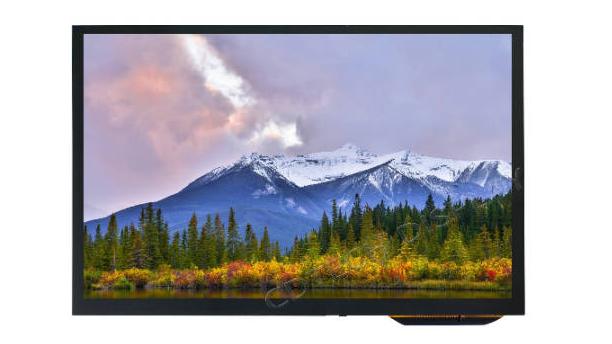
What Can Be Customized in a 10.1 Capacitive Touch Screen?
Customization begins with mechanical fit and display performance. Two panels described as 10.1 inch products may use different active areas, aspect ratios, outlines, connectors, and cover dimensions. A 10.1 capacitive touch screen should therefore be evaluated as a complete assembly rather than a drop-in commodity.
How Can the Cover Lens and Mechanical Stack Be Customized?
A custom capacitive touch screen can use a cover lens shaped around the enclosure, with specified thickness, edge treatment, printed border, logo area, transparent windows, or mounting features. AG, AF, and AR treatments can be considered for glare, fingerprints, or reflection where the application justifies them. Buyers should also define the viewing area, keep-out zones, adhesive land, total thickness, and FPC exit direction.
Mechanical choices interact. A larger cover may simplify the front-panel appearance but needs suitable support and bonding space. A thinner bezel may reduce tolerance around the active area. During capacitive touch screen development, drawings should control these relationships before tooling, and an unpowered sample should be dry-fitted to verify cable clearance and assembly access.
Which LCD and Optical Options Matter Most?
Resolution, luminance, viewing angle, contrast, color requirements, and backlight driving should follow the content and lighting environment. High luminance may support readability in bright conditions, but it also affects thermal and power planning. Optical bonding can reduce internal air gaps and reflections, while air bonding may suit different cost, repair, or process requirements. Neither method should be selected without considering the enclosure and qualification plan.
A customized capacitive touch screen brief should state viewing distance, typical content, ambient light, orientation, and power limits. These inputs allow the display specification to support the actual interface instead of adding cost or complexity without a measurable benefit.
How Should Touch Technology, Controllers, and Interfaces Be Selected?
Touch customization connects human input to the host electronics. The sensor structure, controller, firmware, cover stack, FPC, grounding, and communication interface must work together. Choosing a 10.1 capacitive touch screen without checking the host design can create avoidable firmware and cable changes later.
What Does Resistive vs Capacitive Touch Screen Selection Change?
The resistive vs capacitive touch screen decision depends on the intended input. Resistive touch responds to pressure and may suit stylus-led or deliberate single-point operation. Capacitive touch is commonly selected for light finger input, gestures, multi-touch, and a continuous cover surface. Gloves, water, small touch targets, contaminants, and cleaning practices should be tested rather than assumed.
Projected capacitive touch screen technology also requires attention to cover thickness, sensor tuning, grounding, and electrical noise. A panel that responds correctly on a bench may behave differently after installation near a backlight circuit, motor, charger, or metal bezel. Buyers should define touch points, gesture requirements, glove types, water conditions, and false-touch criteria in the acceptance plan.
Which Controller, FPC, and Host Interface Options Are Practical?
An LCD interface and a touch interface perform separate jobs. A module may use LVDS for display data and IIC for touch communication, for example. The host must support the selected controller, voltage, initialization, coordinate orientation, connector pitch, pinout, and cable direction. USB touch may be considered when the host architecture calls for it, but it should not be treated as interchangeable with IIC without a system review.
FPC customization can change length, shape, bend route, pin assignment, connector position, and shielding. The drawing should identify bend limits, strain relief, ground points, and keep-out areas so the cable remains serviceable after installation.
How Do Durability and Automotive Conditions Shape Customization?
Environmental requirements often decide whether a catalogue configuration is sufficient. A 10.1 capacitive touch screen used indoors under controlled conditions has a different risk profile from one exposed to sunlight, cleaning chemicals, vibration, moisture, or wide temperature changes.
What Determines Capacitive Touch Screen Durability?
Capacitive touch screen durability depends on the complete assembly: cover material, edge support, bonding, adhesive, enclosure stiffness, connector retention, cable routing, cleaning method, impact exposure, moisture paths, and temperature cycling. A general lifetime claim cannot replace application tests. Buyers should define measurable pass criteria and inspect optical appearance, edge lift, bubbles, connector movement, and touch response after each stress condition.
Surface treatments should also be matched to use. Anti-fingerprint treatment may simplify frequent interaction, while anti-glare or anti-reflection choices address different optical problems. Chemical compatibility needs verification against the actual cleaning agent and process; a generic label does not establish resistance to every fluid.
What Changes for an Automotive Capacitive Touch Screen?
An automotive capacitive touch screen may require additional work around sunlight readability, viewing angle, vibration, connector retention, temperature range, EMI/ESD conditions, gloves, moisture, and cleaning. Qualification must follow the vehicle location and host-system specification. Model-specific temperature or interface data are useful selection inputs, but they do not prove that every configuration meets the same automotive requirement.
The customization brief should identify nearby electrical loads, grounding strategy, cable distance, expected operating modes, and required tests. Touch stability should be checked with the actual display, enclosure, and host active, especially when backlight changes or other vehicle systems can introduce noise.
How Can CDTech Support a Custom 10.1 Capacitive Touch Screen Project?
At CDTech, we connect mechanical, optical, touch, interface, and environmental decisions in one review. Our engineers can assess a 10.1 capacitive touch screen requirement against the enclosure, host platform, user tasks, and validation plan before recommending a reference model or custom route.
Which 10.1 Inch Reference Helps Frame the Options?
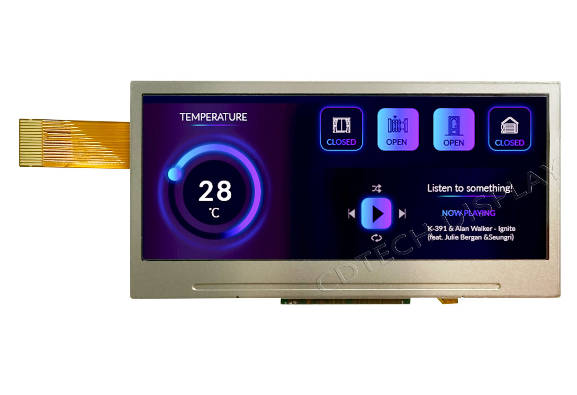
One CDTech 10.1 inch capacitive touch LCD reference combines 1280 x 800 resolution, 850-nit luminance, an LVDS LCD interface, an IIC touch interface, a GT928 controller, OCA bonding, and anti-glare cover glass. Its model-specific operating conditions and interface definitions make it a useful comparison point for bright industrial or vehicle-oriented projects. They are not universal specifications for every 10.1-inch display.
This reference helps buyers ask better questions: Does the host support LVDS and the touch controller? Is the brightness appropriate for the power and thermal design? Do the cover outline, connector, cable route, and bonding stack fit the enclosure? If not, our custom capacitive touch screen process can focus on the exact mismatch rather than changing unrelated features.
What Should Buyers Include in a Customization Enquiry?
Send CDTech the enclosure drawing, active-area target, resolution, luminance, viewing conditions, LCD and touch interfaces, controller constraints, cover design, bonding preference, FPC route, operating environment, qualification requirements, estimated quantities, and sample acceptance criteria. We can then separate fixed requirements from negotiable preferences and identify the evidence needed for approval.
FAQ
Q: Which Parts of a 10.1 Capacitive Touch Screen Can Be Customized?
A: Common options include the cover lens, printed border, surface treatment, sensor, controller, touch firmware, FPC, connector, LCD performance, interface, bonding, mounting details, and environmental design. Availability and suitability remain model- and project-specific.
Q: Is Projected Capacitive Touch Suitable for Gloves and Water?
A: It can be configured for defined glove or water conditions, but performance depends on the controller, tuning, cover stack, grounding, and environment. Test the exact glove, moisture condition, enclosure, and host system before approval.
Q: How Should Buyers Evaluate Capacitive Touch Screen Durability?
A: Evaluate the assembled device against specified impact, cleaning, moisture, temperature, vibration, cable-retention, and touch-response criteria. Record measurable pass conditions instead of relying on an unsupported general lifespan.