HD TFT LCD Display: Resolution, Applications and Selection Guide
 2026-09-24
  10:00
10:00 

Selecting an HD TFT LCD is not simply a matter of choosing the largest pixel number. An OEM team must align the high-definition level with content, viewing distance, interface bandwidth, enclosure dimensions and operating conditions. A TFT HD screen can fit when those inputs are documented. This guide explains HD resolution and turns a requirement into an engineering specification.
What Does HD Mean in a TFT LCD Display?
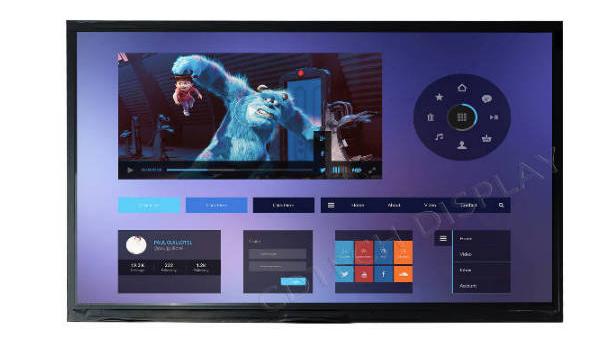
In a TFT LCD, each pixel is controlled by thin-film transistors and contains red, green and blue sub-pixels. A backlight passes through the liquid-crystal layer, while voltage changes control pixel brightness and color. In purchasing language, HD describes a high-definition class, but the exact matrix still has to be written into the specification. For TFT LCD modules, HD-related descriptions should always be linked with the actual resolution, such as HD/720p (1280×720) or HD-class WXGA (1280×800). Treat HD resolution as a starting label rather than a complete performance claim.
How Does HD Resolution Relate to Screen Detail?
Screen detail depends on horizontal and vertical pixel counts, active area and viewing distance. More pixels can support smaller text and denser dashboards when source content and software scaling match the matrix. 1280×720 and 1280×800 are both commonly used TFT LCD resolutions, but they should not be treated as the same HD standard. 1280×720 typically corresponds to HD/720p with a 16:9 aspect ratio, while 1280×800 is generally classified as WXGA or an HD-class 16:10 resolution. Their different aspect ratios affect layout space, content scaling and mechanical fit.
What Is the Practical Meaning of HD for OEM Projects?
The useful comparison is not a universal “higher is better” ranking. HD-class resolutions such as 1280×720 and 1280×800 should be identified by their actual pixel matrix and aspect ratio. Full HD (1920×1080) provides a higher pixel count for detailed layouts, while WQHD (2560×1440) requires significantly more graphics bandwidth and thermal headroom. The resolution choice should follow content requirements, viewing distance and system capability.
HD vs Full HD vs WQHD: Which Resolution Fits the Application?
The useful comparison is not a universal “higher is better” ranking. High-definition matrices reduce rendering demands; Full HD adds pixels for detailed layouts. WQHD can require more graphics bandwidth and thermal headroom. The HD vs full HD decision should follow content and distance; HD vs WQHD should include system capability and enclosure constraints.
When Is a Full HD Screen Worth the Additional Pixels?
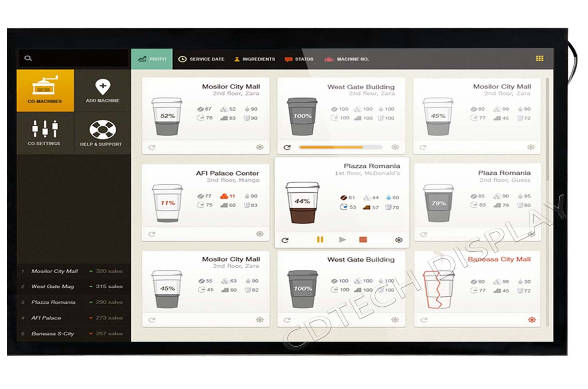
A full HD screen is justified for dense tables, maps or multi-window content viewed close up, or for a larger panel that must preserve fine text. It is less useful with low-resolution source content or limited processor capacity. Confirm the native matrix and scaling behavior instead of assuming the label guarantees a better experience.
How Should Buyers Read HD vs WQHD in Embedded Equipment?
The HD vs WQHD question is mainly a system-integration decision. A higher matrix can improve detail but may increase interface data rate and graphics demand. Check host output, timing controller, cable length, power budget and thermal design before approving WQHD. For simple status values, a tuned high-definition matrix can be more stable and economical.
Where Do HD TFT LCD Displays Create the Most Value?
High-definition TFT modules are valuable when operators need readable information in a constrained space. Industrial HMIs use them for alarms and machine states; vehicle interfaces use them for instrument or navigation views; medical equipment uses them for separated controls; smart appliances use them for settings and status. The right choice balances HD content with luminance, viewing angle, temperature and touch requirements.
How Does HD Content Serve Industrial and Automotive Interfaces?
Industrial and automotive designers should review the complete visual scene, not just the pixel matrix. Daylight operation may call for a brighter backlight, while a shared cabin or control-room view may favor an IPS panel with consistent color across angles. Verified 10.1-inch IPS references at 1280×720 and 1280×800 include model-specific luminance, LVDS display interfaces and USB or IIC touch interfaces. These two resolutions serve different application requirements: 1280×720 is typically an HD/720p 16:9 format, while 1280×800 is generally a WXGA or HD-class 16:10 format. These examples show why HD content planning must be paired with optical and electrical checks.
Can HD Work in Compact, Medical or Smart-Home Displays?
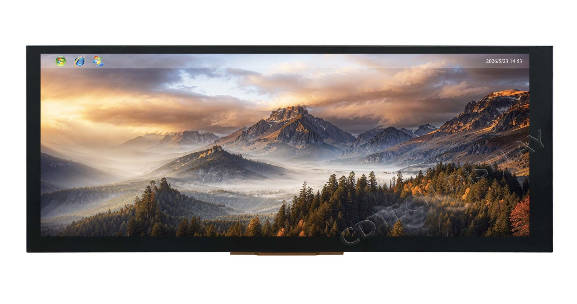
Yes, when the content density and physical envelope are appropriate. A compact bar display can present focused values more effectively than a standard 16:9 panel, while a medical interface may prioritize clear labels and reliable cleaning. Verified application examples cover bar, industrial, medical and smart-home formats, including non-standard dimensions. In such projects, HD display dimensions should be defined from the active area and mounting geometry rather than inferred from the diagonal alone.
What Should a Buyer Verify Before Ordering an HD LCD Module?
An RFQ should make the display measurable. Start with the native matrix, active area, outline dimensions and viewing direction. Then add luminance, interface, controller, connector, backlight drive, touch method, bonding approach and temperature range. Confirm that the host can deliver the requested HD resolution at the required timing and that content assets match the native matrix.
Which Optical and Mechanical Details Matter Beyond HD?
Two modules with the same nominal HD label can behave differently because of brightness, polarizer design, viewing angle, cover glass, air or optical bonding and bezel geometry. Check active-area tolerances, FPC exit direction, mounting holes and total stack height. For outdoor or vehicle equipment, review glare, sunlight readability and temperature as model-specific requirements rather than assuming that a resolution label covers them.
How Do Interface, Temperature and Content Requirements Affect HD Selection?
The signal interface must match the host and controller. Verified options include RGB, LVDS, MIPI, EDP and HDMI, while operating ranges vary by model. Specify source format, frame timing, cable route and required HD content before approving a sample. State whether touch data travels through USB or IIC and whether an adapter board is required.
How Can CDTech Support an HD TFT LCD Project?
We help buyers turn a high-definition concept into a verified display brief. Our product records include 10.1-inch IPS TFT references at 1280×720 and 1280×800, with model-specific brightness, LVDS and touch-interface combinations. These resolutions are specified separately because 1280×720 follows the standard HD/720p 16:9 format, while 1280×800 belongs to the WXGA or HD-class 16:10 category. We review the application, content layout and mechanical drawing together so that the selected module is judged as a complete assembly. We do not treat HD resolution as a substitute for a drawing or interface review.
What Can CDTech Customize Around an HD LCD Display?
Our engineering route can cover LCD AA and OD dimensions, special cutting, FPC pinout and connector choices, backlight configuration, capacitive or resistive touch, air/OCA/LOCA bonding and interface-conversion boards. These options let an OEM adapt a standard high-definition TFT screen to a special enclosure or signal path. Final values remain project-specific and are confirmed against the approved drawing and specification.
Which HD Resolution and Interface Fields Should Buyers Confirm With CDTech?
Send the requested matrix, active area, outline, luminance, viewing angle, controller, LCD interface, touch interface, operating range and content format. Our team can compare those inputs with the 10.1-inch 1280×720 or 1280×800 references and identify what needs customization. A clear RFQ should also record the intended resolution category, including the difference between HD/720p (1280×720), WXGA or HD-class 16:10 (1280×800), Full HD (1920×1080) and WQHD (2560×1440), rather than leaving the resolution tier ambiguous.
FAQ
Q: What Does HD Significado Mean for a TFT LCD Buyer?
A: The search phrase HD significado asks for the meaning of HD. In practical procurement, HD is shorthand for a high-definition class, but the buyer still needs the exact horizontal and vertical pixel counts, active area and interface. Those details determine whether the module fits the content and host system.
Q: Is HD or Full HD Better for Embedded Displays?
A: Neither is universally better. Compare the source content, viewing distance, panel size, graphics capability and interface bandwidth. The HD vs full HD choice should produce readable information without adding pixels that the system cannot use effectively.
Q: Is HD vs WQHD a Useful Comparison for TFT LCD Modules?
A: Yes, when the comparison includes more than sharpness. Review rendering load, cable bandwidth, power, thermal limits, enclosure space and the detail users can actually see. The HD vs WQHD question is most useful during system architecture, before a panel is frozen into the mechanical design.