Pixel Pitch in LCD Displays: Definition, Calculation and Industrial Applications
 2026-09-25
  10:00
10:00 

Pixel pitch is a physical measurement that helps an OEM team judge detail, viewing distance and mechanical fit. In an LCD, it comes from spacing between neighboring pixel centers, not a marketing label or diagonal size. A useful specification connects pixel pitch with active area, pixel matrix, optical targets, interface and operating environment. This guide explains how to calculate it and use it when selecting an industrial LCD module.
What Is Pixel Pitch in an LCD Display?
In a TFT-LCD, pixel pitch is the center-to-center distance between two adjacent pixels, usually measured in millimetres (mm) or micrometres (µm). Each pixel contains red, green and blue sub-pixels controlled by thin-film transistors.
LCD pixel pitch is a physical geometry value determined by the active display area and native pixel matrix. A smaller pixel pitch means pixels are packed more closely, which can support finer text, graphics and image detail at close viewing distances. However, pixel pitch alone does not determine image quality. Backlight brightness, contrast, viewing angle, scaling, surface treatment and content design also affect what an operator sees.
What Is the Difference Between Pixel Pitch, Resolution and PPI?
Resolution describes the total number of pixels in the display, such as 1280×720 or 1920×1080. It tells you how many pixels are available horizontally and vertically, but not how closely those pixels are physically spaced. PPI (pixels per inch) describes pixel density, or how many pixels fit into one inch of the display. A higher PPI generally means pixels are packed more densely. Pixel pitch, by contrast, is the physical center-to-center spacing between adjacent pixels, normally expressed in millimetres.
For displays with square pixels, pixel pitch and PPI are inversely related:
Pixel Pitch (mm) ≈ 25.4 ÷ PPI
Therefore, a smaller pixel pitch generally corresponds to a higher PPI. However, for engineering and sourcing, pixel pitch should be calculated from the actual active width, active height and native resolution rather than estimated from the nominal diagonal alone.
Two LCDs can have the same resolution but different active areas. The larger panel will usually have a larger pixel pitch and lower pixel density, while the smaller panel will pack the same number of pixels into a smaller area.
Why Does Pixel Pitch Matter at the Intended Viewing Distance?
At a close viewing distance, a smaller pixel pitch can make small text, icons, trend lines and map details appear smoother because individual pixels are less noticeable. As viewing distance increases, the visible difference between very fine pixel pitches becomes smaller, and factors such as brightness, contrast and viewing angle may become more important.
There is no single universal pixel-pitch-to-viewing-distance rule for every LCD application. Selection should start with the operator viewing distance, minimum readable character size, content complexity and required resolution. A close-range HMI with dense data may benefit from a finer pixel pitch, while a display viewed from farther away may not require the same pixel density.
How Do You Calculate Pixel Pitch for an LCD Panel?
The most accurate way to calculate LCD pixel pitch is to use the active display area and native resolution from the panel drawing or specification. Do not use the outside module dimensions, because the bezel, seals and mounting areas do not contain active pixels. Pixel pitch should normally be checked in both the horizontal and vertical directions.
What Formula Converts Active Area and Resolution Into Pixel Pitch?
Use the following formulas:
Horizontal Pixel Pitch (mm/pixel) = Active Width (mm) ÷ Horizontal Resolution (pixels)
Vertical Pixel Pitch (mm/pixel) = Active Height (mm) ÷ Vertical Resolution (pixels)
To convert millimetres to micrometres:
Pixel Pitch (µm) = Pixel Pitch (mm) × 1,000
10.1-Inch LCD Pixel Pitch Example
Consider a documented 10.1-inch LCD with:
- Active area:64 × 126.36 mm
- Resolution:1280 × 720 pixels
Step 1: Calculate the horizontal pixel pitch
224.64 mm ÷ 1280 pixels
= 0.1755 mm/pixel
= 175.5 µm/pixel
Step 2: Calculate the vertical pixel pitch
126.36 mm ÷ 720 pixels
= 0.1755 mm/pixel
= 175.5 µm/pixel
Step 3: Confirm the result
The calculated pixel pitch is therefore approximately:
0.1755 mm × 0.1755 mm per pixel, or about 176 µm per pixel.
Because the horizontal and vertical values are essentially the same, this example uses near-square pixels. The result applies to this stated active area and resolution only; another 10.1-inch LCD may have a different pixel pitch if its active area or native resolution is different.
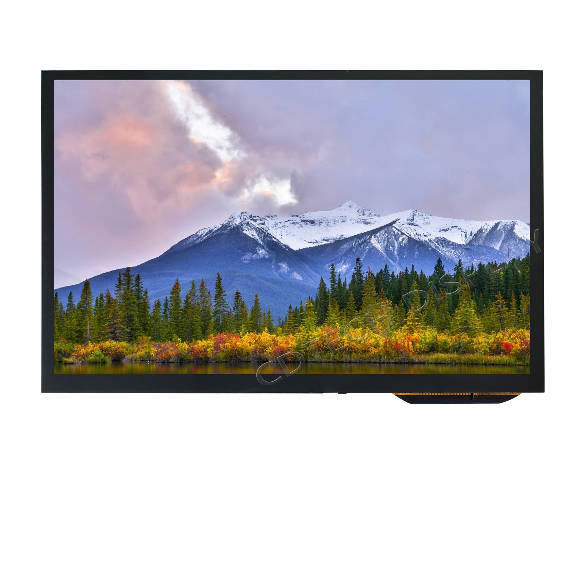
Should Buyers Expect Square Pixels in Every LCD Display?
Many panels use near-square pixels, but a buyer should verify both directions rather than infer equality from the diagonal. A 1280×800 module may have a different active-area ratio from a 1280×720 module even at a similar diagonal. Record active width, active height and both pixel counts so engineering can reproduce the pixel pitch and identify non-square geometry.
How Does Pixel Pitch Influence Industrial LCD Applications?
Industrial displays combine dense information with difficult lighting, temperature changes and long operating cycles. A fine pitch can help an HMI show more data in a fixed area, yet a larger typeface may be safer for a panel viewed across a production line. Medical equipment may prioritize clear control separation, while vehicle displays balance readability, glare and graphics bandwidth. Evaluate pitch with the complete visual task.
How Should You Select Pixel Pitch for an Industrial LCD?
Start with the actual application rather than selecting the smallest available pixel pitch. The key inputs are viewing distance, minimum text or icon size, display dimensions, native resolution and content density.
A finer pixel pitch is useful for close-range HMIs that display alarms, tables, waveforms, maps or other detailed graphics. For displays viewed from farther away or using larger interface elements, additional pixel density may provide little visible benefit.
After checking pixel pitch, also verify brightness, viewing angle, interface bandwidth, operating temperature, touch requirements and optical bonding. The best LCD selection is the one that supports the complete visual and operating requirement rather than optimizing pixel pitch alone.
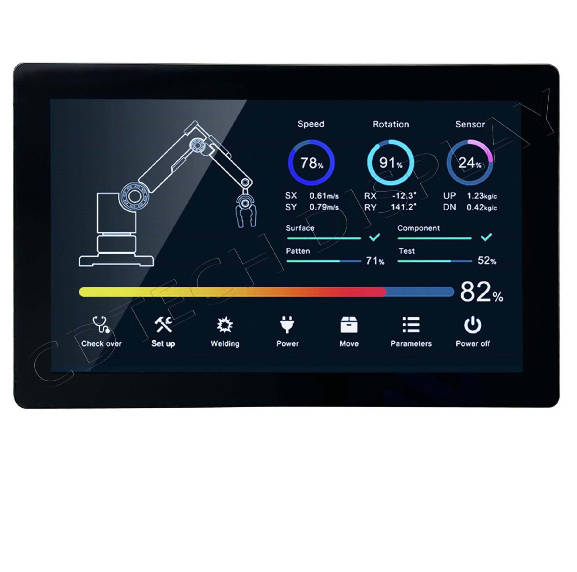
How Do Brightness, Viewing Angle and Temperature Interact With Pitch?
A panel with fine spacing can still be difficult to read if the backlight is weak, glare is uncontrolled or color shifts at the operator’s angle. Industrial and vehicle installations may also require a model-specific temperature range. Verified records show model-specific brightness options, while LVDS, MIPI or HDMI affect integration. Treat pixel pitch as geometry that must be reviewed alongside performance and environmental fields.
Pixel Pitch vs LED Module Pitch: What Should Engineers Compare?
The word “pitch” differs across display classes. In an LCD, it is derived from pixel geometry and active area. In an LED module, pitch commonly means center spacing between neighboring emitters and is often written as a P-value. An LCD RFQ should not copy an LED pitch number or viewing-distance rule. The display technology, calculation basis and unit must be explicit.
Which Pitch Definition Belongs in an LCD Specification?
For an LCD panel, document native resolution, active width and height, calculated horizontal and vertical pitch, pixel arrangement, interface and optical targets. Include outline and mounting features separately. This lets an OEM compare a standard panel with a custom size without hiding geometry behind a single diagonal measurement.
How Can a Buyer Avoid Mixing LCD Pixel Pitch With LED Pitch?
Use the phrase “LCD pixel pitch” in drawings and purchase requests, and ask suppliers to show the active-area basis. If a quotation lists only a P-number, request clarification before comparing offers. Keep LED module terminology in a separate specification section. This simple wording check prevents an invalid apples-to-oranges comparison and keeps the pixel pitch calculation auditable.
How Can CDTech Help Specify Pixel Pitch in an LCD Project?
We help buyers turn a pitch question into a complete TFT-LCD brief. Our verified references include 10.1-inch IPS modules at 1280×720 and 1280×800, with model-specific brightness and LVDS configurations; one 1280×720 reference records a 224.64 × 126.36 mm active area. We use the approved drawing and matrix to calculate pitch rather than guessing from the diagonal. We then review readability, interface and environmental requirements together.
What Data Does CDTech Need to Verify Pixel Pitch?
Send the active area, native matrix, aspect ratio, outline, viewing distance, minimum text size, luminance target, viewing angle, interface, touch requirement and operating range. Our engineers can check whether the proposed pixel pitch supports the visual task and whether the host timing matches the selected interface. FPC direction, connector location, bonding method and enclosure stack height are also useful for a buildable recommendation.
Which CDTech LCD References Can Anchor a Pitch Comparison?
Our 10.1-inch 1280×720 and 1280×800 IPS references provide two verified matrix options. We can discuss custom dimensions, AA/OD changes, FPC, backlight, touch, bonding and interface conversion when a standard module does not fit. Exact pitch remains drawing-specific; we document the calculation with approved active-area dimensions before sampling.
FAQ
Q: Is Smaller Pixel Pitch Always Better in an LCD Display?
A: No. A smaller value can improve close-range detail, but viewing distance, font size, brightness, glare, interface bandwidth, power and cost also matter. Choose the geometry that supports the visual task instead of optimizing one number.
Q: How Do I Calculate Pixel Pitch From an LCD Drawing?
A: Divide active width by horizontal pixels and active height by vertical pixels. Keep millimetres and pixels as the units, calculate both axes, and confirm that the drawing’s active area excludes the bezel and mounting border.
Q: Is LCD Pixel Pitch the Same as LED Module Pitch?
A: No. LCD pixel pitch comes from pixel centers across the active area. LED module pitch usually describes the spacing between neighboring emitters. State the display class and calculation basis in every comparison.
Q: What Is the Relationship Between Pixel Pitch and PPI?
A: Pixel pitch measures the physical distance between adjacent pixels, while PPI measures how many pixels fit into one inch of the display. For a display with square pixels, the relationship can be approximated as Pixel Pitch (mm) = 25.4 ÷ PPI. A smaller pixel pitch therefore generally means a higher PPI. For engineering calculations, however, use the actual active area and native resolution from the LCD drawing.
Q: What Pixel Pitch Should I Choose for a Specific Viewing Distance?
A: There is no single pixel pitch that is correct for every viewing distance. Close-range applications with small text or detailed graphics generally benefit from a finer pixel pitch. At longer viewing distances, the difference between very fine pitches becomes less noticeable. Consider viewing distance together with minimum text size, display size, resolution, brightness and viewing angle before selecting the panel.