320×240 LCD Module Guide: Specifications, Selection and Applications
 2026-08-20
  10:00
10:00 

An LCD 320×240 module might seem basic on a data sheet. However, pixel count alone tells you very little about everyday readability. Brightness, panel mode, and viewing angle play huge roles. Touch build, interface, and surface treatments also change what a user truly sees. For an OEM buyer, asking if 320×240 is “enough” on its own is the wrong approach. Instead, you must ask if the whole screen system works well. It needs to show vital details under your specific lighting and viewing distance. Power limits and case designs matter too. This guide uses the 320×240 LCD module as a practical baseline and explains how key specifications affect selection and final product performance.
What Does LCD 320×240 Resolution Actually Tell You?
How does a 320×240 pixel matrix affect content design?
A 320×240 grid gives you 76,800 active pixels within a 4:3 shape. This setup fits well inside small control panels. It also works for handheld tools, testing gear, and older machine upgrades. These screens easily show basic menus, status alerts, numbers, and plain graphics.
Text size, icon sharpness, line width, and user distance all link together. A small TFT LCD seen from an arm away might demand bigger buttons. A screen held close needs different sizing. Designers must check real fonts and icons on the actual hardware. A computer monitor test rarely matches the real pixel density. It also fails to copy true optics or room lighting. Sometimes complex charts or heavy menus are strictly needed. In those cases, a higher pixel count is a safer choice. Trying to cram too much stuff onto a 320×240 screen often fails.
Why can identical resolutions produce different viewing results?
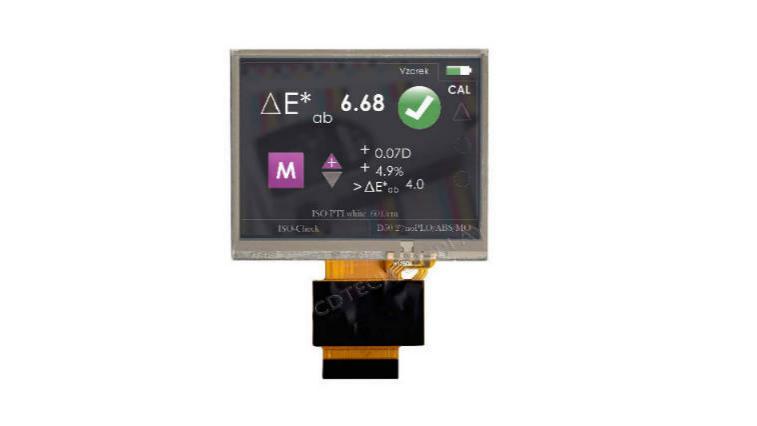
Two screens sharing the exact same pixel count can look wildly different. Resolution only sets the dot count. It does not control brightness, contrast, or color steadiness. It also ignores speed and viewing angles. The backlight lamps and polarizers shift the final look. The fluid mode, top glass, gluing style, and anti-glare coats also shift how clear the image seems.
The internal panel mode changes things too. An IPS LCD usually allows much wider viewing angles. It keeps colors steady when you look from the side. Meanwhile, a TN setup might fit a strict budget better. It works fine if the user always looks from one set angle. You cannot guess either outcome just by reading 320×240. Buyers must check the exact optical facts for each model. They should test physical samples from the exact angles their final machine requires.
How Much Luminance Does a 320×240 LCD Need?
How should ambient light and viewing distance guide luminance targets?
Brightness, often measured in nits, maps out the light pushing through the screen glass. Your needed level relies heavily on the work setting. A shaded indoor tool has unique needs. A machine panel sitting near a sunny window needs much more power. Handheld gear used outside needs even more. How far away the user stands changes the math. On-screen colors, glass glare, and room light angles also alter the final readable result.
Current 320×240 units prove that one brightness level fails to fit all tasks. Standard setups span from mild indoor light levels to intensely bright outputs meant for harsh sun. A custom LCD screen order must detail the absolute worst room lighting you expect. It must also list the lowest passing grade for reading the screen. When you test a sample, always use your real cover glass and metal case. Checking a bare screen on a lab desk gives false hopes.
What trade-offs accompany a higher-luminance backlight?
Boosting brightness is never a free upgrade. Pushing the backlight harder burns extra electricity. It also creates more heat. This extra warmth impacts your power supply and case cooling needs. It changes your heat sinks and dimming plans. Too much light can also hurt users’ eyes in dark rooms. A tool moving between bright days and dark nights faces a tough job. It will need a wide, steady dimming scale. A single bright setting will not work.
Evaluate backlight lifespan based on your planned power levels and room heat. Do not estimate lifespan based solely on a marketing brochure. Your purchasing specifications must clearly state the exact brightness target. They must define the allowed light shift, dimming style, and daily run times. You also need clear rules for when the part is considered dead. Sometimes a custom LCD display requires a totally new backlight frame. When that happens, you must check the physical layers and heat flow alongside the visual clarity.
Which Panel, Touch and Interface Configuration Fits the Application?
Is IPS TFT LCD a separate category from TN TFT LCD?
An IPS LCD proves highly useful when workers look at the glass from many odd angles. It also wins when exact color matters most. A TN screen stays handy when the user always looks straight on. It also helps when a project needs lower costs or faster pixel speeds. Your final choice must rely on strict facts. Look closely at the exact viewing angles, contrast, brightness, and heat limits of the chosen part.
When should touch and interface requirements change the module choice?
A 320×240 unit ships in a few ways. You can get it bare, with a pressure-based touch film, or with a modern capacitive sensor. Resistive touch handles hard, forceful pokes well. Capacitive touch allows for a flat, sleek glass front. It handles swipes and pinches perfectly if the chip and glass match up right.
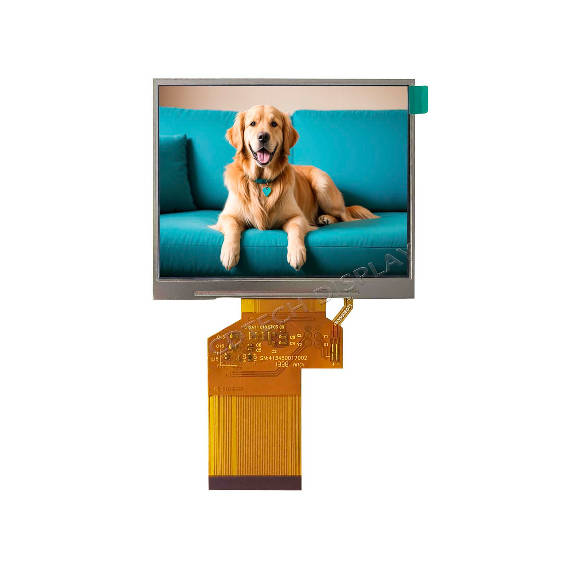
List screen data wires and touch data wires as two separate items.A screen might run on a 24-bit RGB or MCU link. At the same time, the touch chip will likely use an I2C or USB plug. You must check the plug spacing, ribbon cable shape, and pin map. Voltage levels, timing speeds, and code drivers need strict checking too. Do this long before you buy metal molds or build cases. Just because two screens share a size and pixel count does not mean they swap easily.
320×240 LCD Applications:
A 320×240 LCD module is commonly suited to industrial control panels, HMI terminals, measuring instruments, testing equipment, handheld devices, and machine interfaces. Its 4:3 format provides enough space for menus, operating data, status indicators, simple graphics, and control buttons without requiring a large display area.
For industrial and HMI applications, selection should focus not only on resolution but also on viewing angle, luminance, touch type, interface, operating temperature, and installation space. Matching these specifications to the actual working environment helps ensure that the display remains readable and reliable in everyday use.
How Can We Configure a CDTech 320×240 LCD for an OEM Project?
Which verified CDTech module provides a practical reference point?
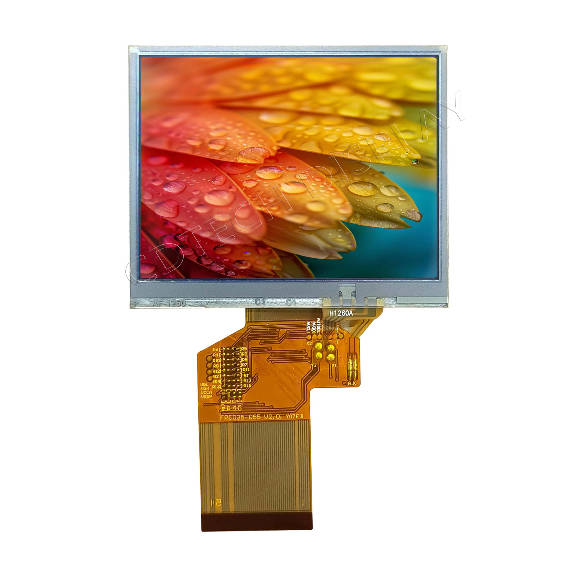
CDTech S035HQ55HS acts as a practical reference point for projects requiring a compact 320×240 LCD module. This IPS LCD features a 3.5-inch size and a 320×240 dot grid. It pushes out 500 nits of light. It packs a wide-angle IPS design and a standard 24-bit RGB link. The board uses an ST7272A control chip. The base model skips the touch glass completely. It safely runs in weather spanning from -20°C up to +70°C.
We offer this item as a helpful baseline. It is not a magic fix for every single job. A tool facing the hot sun will need a totally different light setup. A wall-mounted indoor panel gains nothing from blinding lamps.
What should an OEM include in a custom LCD display request?
At CDTech, our tech team starts by looking at your needed screen space and total size limits. We need to know your main viewing angle and preferred data plug. Ribbon cable limits, light goals, and touch styles matter greatly. We also check your heat limits and yearly order sizes. We gladly review detailed notes for unique tweaks. These notes might cover odd glass sizes or bent ribbon shapes. They can also detail fresh lamp frames, thick cover glass, or custom touch layers.
A solid project brief must split hard rules from soft wishes. It must include data about your main computer board and case blueprints. This deep level of detail guides our factory staff. It lets us see if a stock part works right away. It also shows if a tiny tweak fixes the issue.
FAQ
Q: Is 500-nit luminance enough for a 320×240 LCD module?
A: It often works perfectly for indoor rooms or shaded spaces. However, no single magic number exists. Glass glare and viewing angles shift the result. Room lights, graphic colors, and case shapes alter things too.
Q: Is an IPS LCD always better than a TN LCD panel?
A: No. An IPS LCD helps immensely when people look from sharp angles. It also wins for steady colors. A TN LCD panel stays useful if the user stares straight at it. It fits well when tight budgets or fast speeds rule the project. Always compare the strict factory data and test real samples.
Q: Can a 320×240 TFT LCD be customized with touch?
A: Yes. Standard 320×240 lineups offer smart capacitive, firm resistive, and plain blank glass options. Success relies on your chosen top glass and touch chip. The data plug, outer size, weather needs, and buying schedule also decide what is possible.